How to Take Professional Product Photos with Your Smartphone is an essential guide for anyone looking to enhance their photography skills using readily available technology. In a world where visuals play a crucial role in marketing and online presence, mastering product photography can significantly impact your business or personal brand. This comprehensive overview will equip you with the knowledge and techniques needed to create stunning product images directly from your smartphone.
From understanding the technical features of your smartphone camera to utilizing effective lighting and composition strategies, this guide walks you through every step of the photography process. You will discover practical tips for editing your photos and showcasing them in a way that captivates your audience, ensuring that your products stand out in a competitive landscape.
Understanding Smartphone Camera Features
Smartphones have evolved significantly in their camera capabilities, making them powerful tools for photography. Understanding the various features and settings available on your smartphone camera is essential for capturing high-quality product images. This section will delve into the important camera settings, their functions, and how they contribute to the overall quality of your photographs.
Camera Settings on Smartphones
Smartphone cameras offer a range of settings that can enhance your photography experience. Familiarizing yourself with these settings allows for greater creative control and improved image quality. The key features include:
- Megapixels: The number of megapixels (MP) indicates the resolution of the images your camera can produce. Higher megapixel counts allow for larger prints and more detail, although other factors also play a significant role in image quality.
- Aperture: The aperture, expressed as an f-number (e.g., f/1.8), determines the amount of light entering the camera. A lower f-number means a wider aperture, allowing more light, which is particularly beneficial in low-light conditions and can create a depth-of-field effect.
- ISO: ISO measures the camera’s sensitivity to light. A higher ISO setting is useful in dark environments but can introduce noise or graininess in images. Finding the right balance is key for achieving clean and clear photographs.
Features Enhancing Product Photography
Several features on smartphones specifically enhance product photography, ensuring images are vibrant and appealing. Understanding these features can greatly improve the quality of your product images.
- HDR (High Dynamic Range): HDR captures multiple exposures of the same scene and combines them to create a single image with a broader dynamic range of brightness. This is particularly useful for product images in varied lighting, as it helps to maintain detail in both shadows and highlights.
- Grid Lines: Activating grid lines can assist with composition, adhering to the rule of thirds, which suggests placing the subject along grid lines or their intersections. This practice results in more balanced and visually appealing images.
- Focus Modes: Many smartphones offer different focus modes such as single-point focus, continuous focus, and macro focus. Utilizing the appropriate focus mode ensures that your product is sharp and clearly defined in the image.
“Understanding and utilizing smartphone camera features effectively can transform ordinary product photos into stunning images that drive sales and engagement.”
Preparing for the Shoot

Proper preparation is essential for capturing stunning product photos. This phase involves selecting the right product, gathering necessary tools, and ensuring that the product is clean and well-organized. Each of these steps contributes significantly to the quality of the final images and the effectiveness of the visual presentation. By investing time in preparation, you lay the groundwork for a successful photography session.
Product Selection for Photography
Choosing the right product is crucial for creating appealing and marketable images. Focus on items that have unique features, attractive colors, and interesting textures. Additionally, consider the audience and the purpose of the photographs. Products that are visually engaging and relevant to your target market will resonate more effectively. For example, a handmade craft item may require different styling compared to a sleek tech gadget.
Required Tools and Accessories
Having the right tools and accessories can greatly enhance the quality of your smartphone photography. Below is a checklist of essential items that can assist in achieving professional results.
- Tripod: A sturdy tripod stabilizes your smartphone, reducing blur caused by shaky hands and allowing for consistent framing.
- Lighting: Natural light is often the best option. However, if shooting indoors, consider using softbox lights or LED panels to eliminate harsh shadows and ensure even lighting.
- Reflectors: These can help bounce light onto the product, brightening shadows and adding dimension.
- Lens Attachments: Macro or wide-angle lens attachments can expand your shooting capabilities, allowing for detailed close-ups or broader shots.
- Editing Apps: Applications such as Snapseed or Lightroom Mobile can enhance your images during the editing process.
Cleaning and Organizing the Product
Before photographing, it is vital to ensure that the product is clean and well-organized. Cleanliness not only affects how the product looks but also conveys attention to detail and professionalism.
- Dust and Smudges: Wipe down the product with a microfiber cloth to remove dust, fingerprints, and smudges that could distract from its features.
- Background Setup: Organize the shooting area to eliminate clutter. A simple, neutral backdrop emphasizes the product without distractions.
- Arranging the Product: Highlight the product’s best angles by positioning it thoughtfully. Use props sparingly to complement rather than overshadow the main item.
- Check for Defects: Inspect the product for any imperfections that could detract from its appeal and consider retouching them if necessary.
“Preparation is the key to success in product photography—taking the time to select, organize, and clean your items can greatly improve the quality of your photos.”
Lighting Techniques

Effective lighting is a crucial element in professional product photography, as it can drastically alter the appearance and appeal of the subject. Mastering lighting techniques allows photographers to highlight product features, create mood, and enhance visual interest. Whether utilizing natural light or artificial sources, understanding how to manipulate light can significantly improve the quality of your images.Natural light plays a vital role in product photography, offering a soft and inviting illumination that is often more aesthetically pleasing than artificial alternatives.
To maximize the potential of natural light, photographers should consider the following techniques:
Utilizing Natural Light
Natural light is best used during the golden hours, shortly after sunrise and before sunset, when the sunlight is soft and warm. Positioning products near windows can also yield dynamic results. Here are some essential tips for making the most of natural lighting:
- Choose a well-lit area: Select a location that receives ample daylight, avoiding harsh direct sunlight that can create unwanted shadows.
- Utilize reflectors: To bounce light back onto the product, consider using white boards or reflectors to fill in shadows and achieve a balanced look.
- Experiment with angles: Adjusting the angle at which the light hits the product can highlight different textures and features, providing variety in your shots.
Artificial Lighting Setups
In certain situations, artificial lighting may be necessary to achieve the desired effect, especially in low-light conditions or when consistent results are required. Here are some common artificial lighting setups:
- Softbox lighting: This setup diffuses light, creating a soft and even illumination that minimizes harsh shadows. Positioning softboxes at a 45-degree angle to the product can yield excellent results.
- Ring lights: Ideal for small products and close-up shots, ring lights provide a uniform light that fills in shadows, making them popular among beauty and jewelry photographers.
- LED panels: Versatile and adjustable, LED panels can be used to create dramatic lighting effects or softer spreads, depending on the distance and angle from the product.
Diffusing Light
To minimize shadows and glare, diffusing light is essential. This technique softens the harshness of direct light, resulting in more flattering images. Here are effective methods for diffusing light:
- Use diffusion materials: Placing sheer fabrics or professional diffusion panels in front of the light source can soften the light without losing brightness.
- Employ natural diffusers: Cloudy days or shaded areas can serve as natural diffusers, creating a soft and even light ideal for product photography.
- DIY diffusion: A simple approach involves using white bedsheets or shower curtains positioned between the light source and the product to reduce glare effectively.
“Light is the key to great photography; it shapes the product and creates the mood.”
Composition and Framing
Effective composition and framing are essential components of photography, especially when capturing product images with a smartphone. Thoughtful arrangement of elements within the frame can significantly enhance the visual appeal of your products, making them more enticing to potential customers. Utilizing various compositional techniques can transform a simple image into a striking visual representation that conveys the product’s qualities and value.The rule of thirds is a fundamental principle in photography that can enhance the composition of your product photos.
By dividing the frame into a 3×3 grid, you can position key elements along the lines or at their intersections. This technique helps create a balanced and dynamic composition that draws the viewer’s attention to the product. For example, placing a product at one of the intersection points can create a more engaging image compared to centering the product, which may feel static.
Creative Angles and Perspectives
Exploring different angles and perspectives can elevate the quality of your product photography. The right angle can showcase the product in its best light, highlighting features that may not be as visible from a straight-on view. Here are some creative angles to consider when photographing products:
- Eye Level: Captures the product from the viewer’s perspective, creating a relatable image.
- High Angle: Provides an overview and can make the product appear smaller or more delicate.
- Low Angle: Makes the product appear larger and more powerful, adding a sense of drama.
- Close-Up: Focuses on specific details, textures, or features of the product, emphasizing quality.
- Overhead: Offers a unique perspective, particularly effective for flat lay compositions.
- Diagonal: Adds dynamism to the image, creating visual interest by placing the product at an angle.
Incorporating a variety of angles can create a more comprehensive visual story about the product, appealing to potential buyers by showcasing its versatility and functionality.
Incorporating Complementary Backgrounds
The background of a product photo plays a crucial role in its overall aesthetic. Choosing the right background can enhance the product’s features while minimizing distractions. When selecting a background, consider the following tips:
- Neutral Colors: Use solid colors or soft textures that won’t compete with the product but instead highlight its features.
- Contextual Backgrounds: Show the product in use or in an environment that reflects its purpose, such as a kitchen for cookware.
- Patterns and Textures: Subtle patterns can add depth, but ensure they do not overshadow the product itself.
- Natural Elements: Incorporating plants or natural materials can create an organic feel, especially for eco-friendly products.
- Gradient Backgrounds: A smooth gradient can add dimension and sophistication without drawing attention away from the product.
Choosing a complementary background not only enhances the product’s appearance but also helps convey the intended message and vibe of the brand, making the images more effective in marketing contexts.
Editing Smartphone Photos

The editing phase is crucial in transforming your smartphone photographs into professional-quality images. By utilizing mobile editing applications, you can enhance the visual appeal of your product photos, making them more engaging for potential customers. This section will cover various mobile editing apps, essential techniques for modifying your images, and guidelines for saving and exporting your edited photos for different platforms.
Recommended Mobile Editing Apps
A variety of mobile editing applications offer powerful features that can significantly improve smartphone photos. The following are some of the most popular and user-friendly apps for photo editing, along with their standout features:
- Adobe Lightroom Mobile: This app provides advanced editing tools, including color grading, exposure adjustments, and presets that help maintain a consistent style across your images.
- Snapseed: A versatile app with a wide range of editing tools, Snapseed includes features like selective adjustments, lens blur effects, and an intuitive interface for easy navigation.
- VSCO: Known for its aesthetically pleasing filters, VSCO also offers robust editing features such as exposure control, contrast adjustments, and fine-tuning of color temperatures.
- Canva: While primarily a design tool, Canva includes photo editing capabilities, allowing you to create product images with text overlays and graphics, making it ideal for social media marketing.
Essential Editing Techniques
Mastering key editing techniques is essential to achieving professional results. The following methods are fundamental for enhancing your smartphone photos:
- Color Correction: Adjusting the color balance, saturation, and vibrancy helps achieve a natural look. Fine-tuning these aspects can make product colors appear more accurate and appealing.
- Cropping: This technique helps to eliminate distractions and improve composition. Focus on the product by cropping out unnecessary elements, thus enhancing the overall impact of the image.
- Sharpening: Applying sharpening enhances details, making products look crisper and more defined. It is vital not to overdo this effect, as it can lead to unnatural images.
Saving and Exporting Images
Once your editing is complete, saving and exporting images appropriately is crucial for ensuring they appear as intended across various platforms. Different platforms have specific requirements:
- Social Media: Generally, saving images in JPEG format at a resolution of around 1080 pixels wide is optimal for platforms like Instagram and Facebook. Additionally, consider using square or vertical orientations for better engagement.
- Online Stores: For e-commerce sites, save images in high-resolution (at least 2000 pixels wide) to ensure quality on product pages. PNG format is recommended for images with transparency, while JPEG is suitable for standard product shots.
“High-quality images are essential for attracting customers and enhancing their shopping experience.”
Best Practices for Product Photography
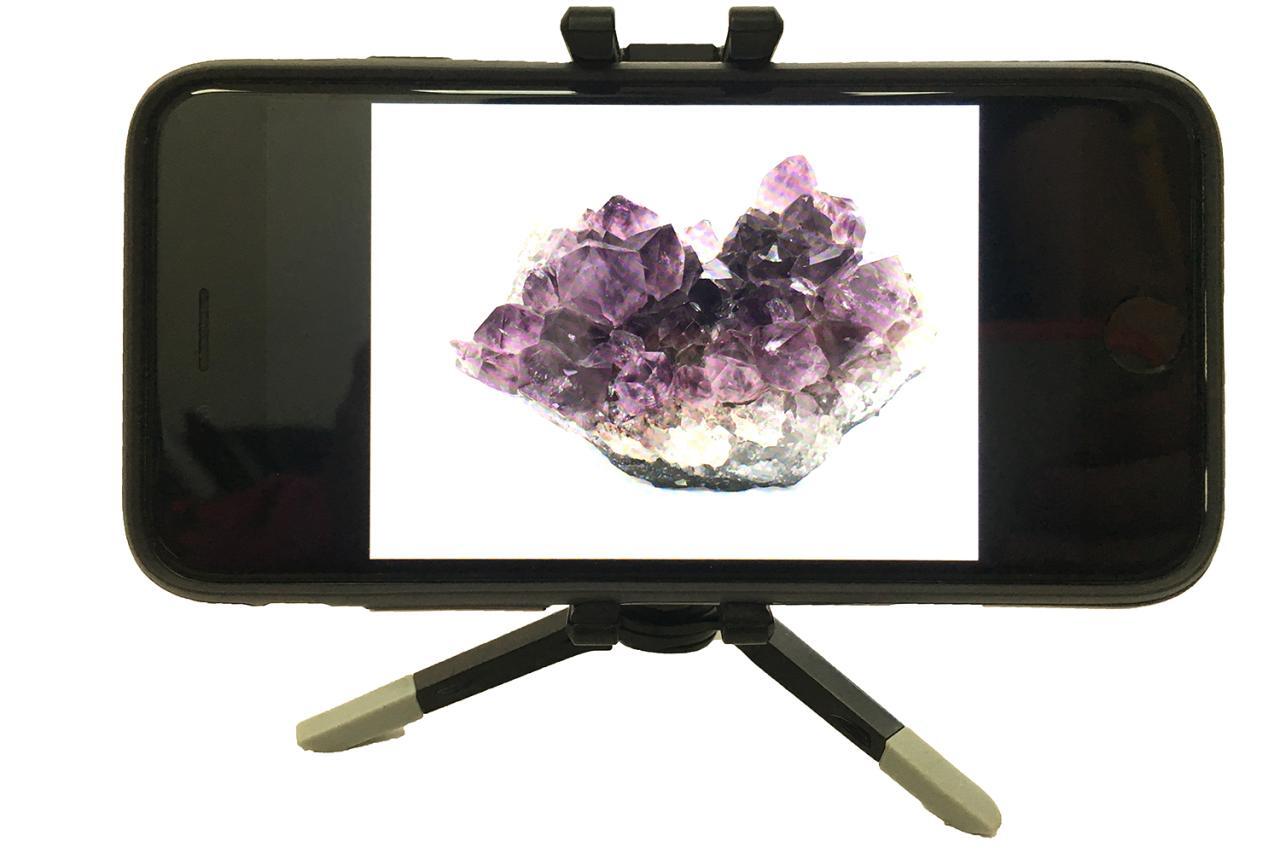
Creating high-quality product photographs is essential for engaging customers and enhancing brand identity. To achieve stunning visuals using your smartphone, it is important to adopt best practices that streamline the process and elevate the quality of your images. This section discusses common pitfalls in product photography, Artikels an effective workflow, and emphasizes the significance of consistency in both shooting and editing styles.
Common Mistakes to Avoid
Understanding common mistakes can significantly improve your product photography results. Here are several key errors that should be avoided:
- Not cleaning the product thoroughly before shooting, which can result in distracting dust or fingerprints.
- Using cluttered backgrounds that detract from the product, making it difficult for viewers to focus.
- Neglecting to ensure proper lighting, which can lead to harsh shadows or overexposed images.
- Failing to stabilize the smartphone, causing blurry images that lack detail.
- Ignoring the importance of composition and framing, which can make products appear less appealing.
Creating a Product Photography Workflow
Establishing a systematic workflow is crucial for efficient product photography. Below is a step-by-step guide to creating your own workflow:
- Preparation: Gather your products, props, and background materials while cleaning each item thoroughly.
- Setting Up the Studio: Choose a suitable location, ensuring proper lighting and minimize distractions in the background.
- Positioning: Arrange the product and props in a way that enhances its features, considering the angles from which photos will be taken.
- Camera Settings: Adjust your smartphone camera settings to optimize quality, such as enabling grid lines for better alignment.
- Shooting: Take multiple shots from various angles and perspectives, ensuring to experiment with lighting and composition.
- Reviewing Photos: Evaluate the images for clarity and focus, discarding any that do not meet quality standards.
- Editing: Use photo editing software to enhance colors, adjust brightness, and crop images for a polished final look.
- Final Review: Conduct a thorough review of the edited images to ensure they meet branding and marketing expectations.
Benefits of Consistency in Editing and Shooting Styles
Maintaining consistency in your product photography is vital for establishing a cohesive brand identity. When imagery follows a uniform style, it enhances recognition and trust among consumers. The key benefits include:
- Brand Identity: Consistent images contribute to a recognizable brand image, helping customers associate the quality of your products with your visual presentation.
- Professionalism: Uniformity in style conveys a sense of professionalism, which can enhance customer perception and trust.
- Marketing Efficiency: A consistent approach simplifies the marketing process, as all visuals align with your brand guidelines, making it easier to create promotional materials.
- Customer Experience: Cohesive images provide customers with a seamless experience as they interact with your brand across different platforms.
“Consistency in product photography is not just about aesthetics; it is a fundamental aspect of building a strong and recognizable brand.”
Showcasing Your Product Photos

Creating an appealing online portfolio for your product photography is essential for attracting potential clients and customers. The quality of your showcase not only reflects your skills as a photographer but also the quality of the products you are promoting. A well-structured portfolio can lead to increased interest and sales, while also establishing your brand identity in the crowded digital marketplace.To effectively showcase your product photos, it is important to consider various platforms and presentation strategies.
A cohesive online portfolio should include a variety of images that highlight different angles, features, and uses of the products. This will provide potential buyers with a comprehensive view of what you are offering.
Creating an Online Portfolio
An online portfolio serves as a digital representation of your skills and creativity. To create an impactful portfolio, consider the following elements:
- Select a Platform: Use platforms like Adobe Portfolio, Squarespace, or Wix that are designed for photographers. These platforms allow for customizable templates that can enhance the visual appeal of your portfolio.
- Organize by Categories: Group your product photos into categories based on product types or themes. This organization makes it easier for visitors to navigate and find specific products they are interested in.
- Include Contextual Images: In addition to standalone product shots, incorporate images showing the product in use or in a lifestyle setting. This helps customers visualize how the product fits into their lives.
- Write Descriptive Captions: Provide context with detailed captions that explain the features and benefits of each product. This not only enhances the viewer’s understanding but also supports efforts.
Sharing Product Photos on Social Media
Social media platforms are invaluable tools for reaching a wider audience and promoting your product photography. To maximize engagement and reach, implement the following strategies:
- Choose the Right Platforms: Focus on visually-driven platforms such as Instagram and Pinterest where high-quality images can captivate viewers. Tailor your content to suit the specific audience of each platform.
- Utilize Hashtags Effectively: Research and include relevant hashtags that resonate with your target audience. This increases the discoverability of your posts and attracts potential buyers.
- Engage with Your Audience: Foster a community by responding to comments, engaging with followers’ content, and participating in discussions. This builds rapport and encourages customer loyalty.
- Post Regularly: Maintain a consistent posting schedule to keep your audience engaged. This could include a mix of product shots, behind-the-scenes content, and customer testimonials.
Importance of High-Quality Images in Online Listings
High-quality images are critical in online listings, significantly impacting consumer behavior and purchase decisions. According to studies, listings with high-resolution images can increase conversion rates significantly.
- Build Trust: High-quality images convey professionalism and reliability, which are essential for establishing trust with potential buyers.
- Enhance Product Appeal: Clear and vivid images highlight the product’s details and craftsmanship, making them more appealing to customers.
- Reduce Returns: By providing an accurate representation of the product through high-quality photos, customers are less likely to be disappointed upon receiving their orders, thereby reducing return rates.
- Boost : High-quality images with appropriate alt text can improve your listings’ visibility in search engine results, driving more traffic to your products.
“A picture is worth a thousand words; a high-quality photo is worth a thousand sales.”
End of Discussion
In conclusion, taking professional product photos with your smartphone is both an art and a science that can be mastered with practice and the right approach. By implementing the techniques Artikeld in this guide, you will not only improve the quality of your images but also enhance your overall branding efforts. Remember, the key to successful product photography lies in attention to detail, consistency, and creativity, ensuring that your visuals leave a lasting impression on your audience.