How to Print Shipping Labels from Home is an essential skill for anyone looking to streamline their shipping process. In today’s fast-paced world, the ability to print shipping labels at home not only saves time but also offers a convenient solution for small business owners and online sellers alike. By understanding the various types of shipping labels, their uses, and the advantages of home printing over traditional postal services, you can significantly enhance your shipping experience.
This guide will provide you with all the necessary information, from the essential equipment needed to create high-quality shipping labels to advanced techniques for customizing them. You will explore the best practices for ensuring flawless prints and cost-effective solutions that make printing labels at home both affordable and eco-friendly.
Overview of Printing Shipping Labels
Printing shipping labels at home is an essential practice for individuals and businesses alike, facilitating the smooth and efficient dispatch of packages. The ability to generate labels from the comfort of one’s home not only saves time but also enhances organization during the shipping process. With the rise of e-commerce and online sales, printing shipping labels has become increasingly important for meeting customer expectations and ensuring timely deliveries.Various types of shipping labels are available, each serving distinct purposes in the shipping process.
These labels include but are not limited to:
Types of Shipping Labels and Their Uses
Understanding the types of shipping labels is crucial for selecting the right one for your needs. Each label type is designed for specific shipping scenarios, and choosing the appropriate label can enhance shipping efficiency.
- Standard Shipping Labels: These labels are commonly used for general package shipments and contain essential information such as the sender’s and receiver’s addresses, postal codes, and tracking numbers.
- Return Shipping Labels: Ideal for e-commerce transactions, return shipping labels facilitate easy returns by allowing customers to send back products without needing to create a new label.
- Flat Rate Shipping Labels: Used for flat rate shipping services offered by postal carriers, these labels provide a cost-effective solution for sending heavier packages within certain weight limits.
- International Shipping Labels: Designed for cross-border shipments, these labels include additional customs information and declarations to comply with international shipping regulations.
- Fragile Shipping Labels: These labels are used to indicate that the package contains delicate items, ensuring that handlers take extra care during transit.
Printing shipping labels from home offers several benefits that can significantly impact both convenience and cost-efficiency. The advantages include:
Benefits of Printing Labels from Home
When comparing the option of printing shipping labels from home versus relying on a postal service, several key benefits make home printing an attractive choice.
- Cost Savings: By printing labels at home, individuals and businesses can often avoid additional charges associated with printing services at postal centers, leading to overall cost reductions.
- Time Efficiency: Instant access to a printer allows for quicker label generation, reducing wait times and allowing for faster package dispatch.
- Customization Options: Home printers enable users to customize labels with branding elements, such as logos or specific messages, enhancing the professionalism of their shipping.
- Streamlined Process: Having the ability to print from home allows users to manage their shipping tasks efficiently, integrating the label printing into their daily workflow without interruptions.
- Environmental Impact: Printing labels at home can reduce waste associated with additional trips to postal services, contributing to a lower carbon footprint.
“Printing your own shipping labels not only saves you time and money but also empowers you to streamline your shipping operations seamlessly.”
Incorporating home printing of shipping labels can transform the shipping experience, making it more manageable and tailored to individual needs.
Required Equipment for Printing Shipping Labels

In order to print shipping labels efficiently from home, specific equipment is necessary to ensure quality and convenience. This includes both hardware and software that work together to create professional-looking labels that meet shipping standards. Understanding the required components will facilitate a smoother labeling process, making shipping easier and more efficient.
Necessary Hardware for Printing Shipping Labels
When setting up your home shipping label printing station, several hardware components are essential. The following list Artikels the key equipment required:
- Printer: A reliable printer is crucial for high-quality label printing. Both inkjet and thermal printers can be used, but thermal printers are often preferred for their efficiency and speed. Noteworthy options include the DYMO LabelWriter and Rollo Thermal Printer.
- Computer: A computer or laptop is necessary for designing labels and managing your shipping software. Ensure that the device is compatible with the software you intend to use.
- Label Paper: The type of label paper you select will depend on your printer. For inkjet printers, use glossy or matte label sheets, while thermal printers require specific thermal label rolls.
- Label Dispenser (optional): A manual or electric label dispenser can streamline the process of peeling off labels and applying them efficiently.
Compatible Label Paper Types for Different Printers
Selecting the appropriate label paper is vital for achieving optimum print quality. Different printers require different types of label paper, which can affect the durability and clarity of the final product. Here is a breakdown of compatible label paper types:
- Inkjet Printers: Use high-quality adhesive label sheets made of durable paper. Look for options specifically designed for inkjet printers to avoid smudging.
- Laser Printers: These printers perform best with labels designed for laser technology, which can withstand the higher temperatures used in the printing process.
- Thermal Printers: Compatible thermal label rolls are available, which require no ink or toner and are ideal for shipping labels that are often printed in bulk.
Software Options for Creating Shipping Labels
A variety of software applications can assist in the creation and printing of shipping labels. Choosing the right software can enhance productivity and improve label design. The following software options are recommended:
- Shipping Software: Programs such as ShipStation or Stamps.com allow users to create and print labels directly from their shipping accounts. These platforms often integrate with e-commerce systems.
- Design Software: Graphic design tools like Canva or Adobe Illustrator enable users to craft custom label designs. Templates are often available for easy modification.
- Label Making Software: Dedicated software such as DYMO Label Software or Avery Design & Print allows for straightforward label creation and is compatible with various printer types.
Utilizing the right combination of hardware and software will significantly enhance your shipping label printing experience, ensuring that your packages are always sent out professionally and efficiently.
Step-by-Step Guide to Printing Shipping Labels
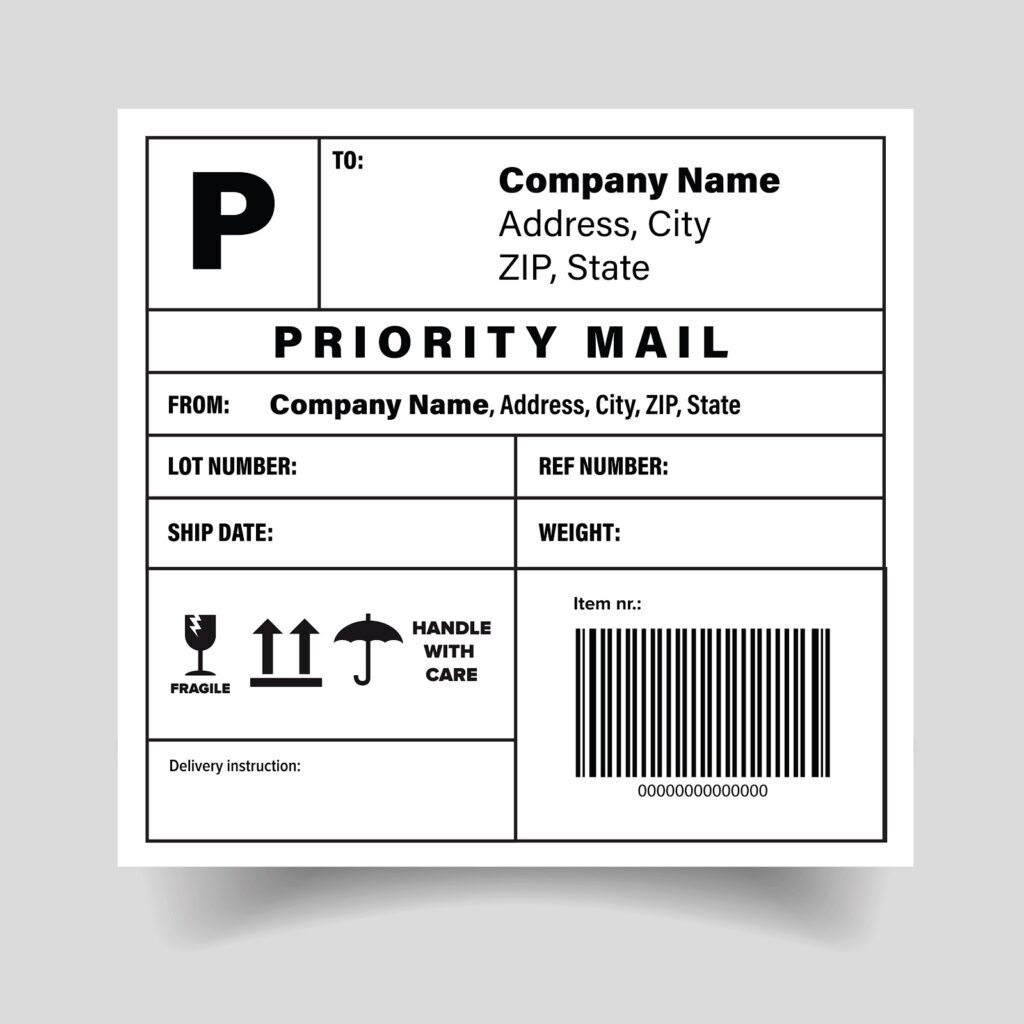
Printing shipping labels at home can streamline your shipping process, saving you time and enhancing efficiency. This step-by-step guide will walk you through the essential processes from preparing to print to customizing your labels for a polished final product.
Preparation for Printing Shipping Labels
Before initiating the printing process, it is crucial to prepare adequately. This involves gathering all necessary information and materials to ensure a smooth operation. The following steps Artikel the preparation phase in detail:
- Gather Recipient Information: Collect all relevant details including the recipient’s name, address, and contact number. Accurate information is essential to avoid delivery issues.
- Choose the Right Shipping Carrier: Select your preferred shipping service provider (e.g., USPS, FedEx, UPS) to obtain their specific label requirements and dimensions.
- Access Shipping Software: Utilize online platforms or software to create and print your shipping labels. Many carriers provide user-friendly tools to facilitate label generation.
Setting Up the Printer for Label Printing
Proper printer setup is vital for achieving high-quality labels. This section provides steps to ensure your printer is ready for the task:
- Select the Correct Printer: Use a printer that supports label printing, ideally thermal printers which are specifically designed for this purpose.
- Load Label Sheets: Insert the shipping label sheets into the printer’s tray. Ensure that they are loaded correctly according to the printer’s specifications.
- Adjust Printer Settings: Access the printer settings on your computer. Select the appropriate paper size and type that matches your label sheets to ensure optimal printing results.
Customizing and Formatting Shipping Labels Using Software
Customizing your shipping labels adds a professional touch and can include various elements such as logos, barcodes, and personalized messages. The following points highlight how to effectively customize and format your labels:
- Choose a Template: Select a template that aligns with your business branding from the shipping software. Many platforms offer customizable templates for ease of use.
- Add Shipping Information: Input the recipient’s details, including the address and contact number. Make sure to format the text clearly to maintain readability.
- Incorporate Visual Elements: Include your company logo and any relevant images to enhance branding. Ensure they are appropriately sized and placed for maximum impact.
- Print a Test Label: Before committing to a batch, print a single test label to verify alignment and quality. This precaution can prevent waste and ensure accuracy.
Tips for Ensuring Quality Prints

When printing shipping labels from home, ensuring high-quality prints is paramount for both professionalism and practical functionality. Quality prints can prevent delays and issues during shipping, ultimately leading to better customer satisfaction. This section provides essential tips for calibrating your printer, troubleshooting common issues, and maintaining your printer equipment for optimal performance.
Calibrating Your Printer for Improved Print Quality
To achieve the best print quality, proper printer calibration is vital. Calibration ensures that your printer’s settings align with the specifications of the shipping labels you are using. This process includes adjusting color settings, print resolution, and paper size. Here are key steps to follow for effective calibration:
- Check Printer Settings: Confirm that your printer is set to the appropriate type of label and paper size, often labeled as “Shipping Labels” in the printer settings.
- Adjust Print Quality: Set the print quality to ‘High’ or ‘Best’ to enhance the clarity and sharpness of the printed text and barcodes.
- Use Printer Software: Utilize any calibration tools provided by the manufacturer, which may include color alignment and print head alignment features.
- Run Test Prints: Perform several test prints on blank label sheets to check for color and alignment accuracy before printing on actual labels.
Troubleshooting Common Printing Issues
Various challenges may arise when printing shipping labels, impacting the quality of the output. Understanding common issues and how to resolve them can save time and resources. Below are frequent problems and their respective solutions:
- Smudged or Blurry Prints: This may occur due to dirty print heads. Cleaning the print heads through the printer’s maintenance settings can often resolve this issue.
- Labels Not Feeding Properly: Ensure that the labels are correctly loaded into the printer and that the printer is set to the proper media type.
- Incorrect Alignment: Misalignment can be fixed by adjusting the print settings to center the label or by recalibrating the printer.
- Paper Jams: Regularly check for debris or paper fragments in the printer, and ensure that the labels are not damaged or improperly stacked.
Maintaining Printer Equipment for Optimal Performance
Regular maintenance of your printer is essential to ensure long-term quality and reliability in printing shipping labels. Maintaining your equipment can prevent common problems and extend the lifespan of your printer. Here are recommended maintenance practices:
- Regular Cleaning: Periodically clean the printer’s interior, removing dust and ink buildup to prevent clogs and ensure smooth operation.
- Update Printer Drivers: Keeping your printer drivers up to date ensures that you have the latest fixes and features that can enhance print quality.
- Use Quality Labels: Always use high-quality shipping labels that are compatible with your printer. Incompatible labels may lead to printing issues.
- Monitor Ink Levels: Regularly check ink or toner levels to avoid running out unexpectedly, which can disrupt printing processes.
Cost-Effective Solutions for Printing Shipping Labels
Finding cost-effective solutions for printing shipping labels is essential for individuals and businesses looking to manage their shipping expenses efficiently. With a plethora of printing options available, it’s crucial to evaluate the various approaches to ensure that you are maximizing your savings while maintaining quality. This section explores affordable label printing options, compares costs between home printing and outsourcing, and offers tips on sourcing discounts for shipping label materials.
Affordable Label Printing Options and Supplies
When considering affordable options for printing shipping labels, several factors come into play, including the type of printer, label materials, and software. The following list Artikels options that can help reduce costs effectively:
- Inkjet and Laser Printers: Utilize existing inkjet or laser printers, as they can produce high-quality labels without the need for specialized equipment.
- Printable Label Sheets: Purchase blank label sheets compatible with standard printers. These sheets often come at a fraction of the cost compared to pre-printed labels.
- Label Design Software: Use free or low-cost software to design labels, which can help you customize and avoid extra charges from professional services.
- Bulk Purchases: Buy shipping labels in bulk to lower per-label costs, ensuring you’re stocked up for future shipping needs.
Cost Comparison: Home Printing Versus Outsourcing
Understanding the financial implications of printing labels at home versus outsourcing can guide your decision-making process. Home printing offers flexibility and control, while outsourcing might provide added convenience but at a cost. Consider the following points when evaluating your options:
- Home Printing Costs: Include expenses such as printer maintenance, ink, and labels. For example, a standard inkjet printer may cost approximately $0.05 per label when factoring in ink and label sheets.
- Outsourcing Costs: Outsourcing label printing can range from $0.10 to $0.25 per label, depending on the service provider and order volume. While this may save time, the cost adds up quickly for frequent shipments.
- Hidden Fees: Keep an eye out for additional charges in outsourced services, including shipping fees for printed labels, which can further inflate overall expenses.
Finding Discounts on Shipping Label Materials
Identifying discounts on shipping label materials can significantly decrease your overall printing costs. Implement the following strategies to uncover savings:
- Online Retailers: Regularly check online marketplaces and retailers for sales or discounts on label sheets and printing supplies. Websites often have clearance sections or seasonal promotions.
- Manufacturer Discounts: Subscribe to newsletters from label manufacturers to receive exclusive deals or promotional codes directly in your inbox.
- Membership and Loyalty Programs: Join programs that offer discounts on supplies for members, providing ongoing savings on bulk purchases.
- Coupon Websites: Explore coupon sites for printable or digital coupons applicable to label purchases from various retailers.
By adopting cost-effective solutions and leveraging available discounts, individuals and businesses can significantly reduce their shipping label expenses without sacrificing quality.
Environmental Considerations in Label Printing
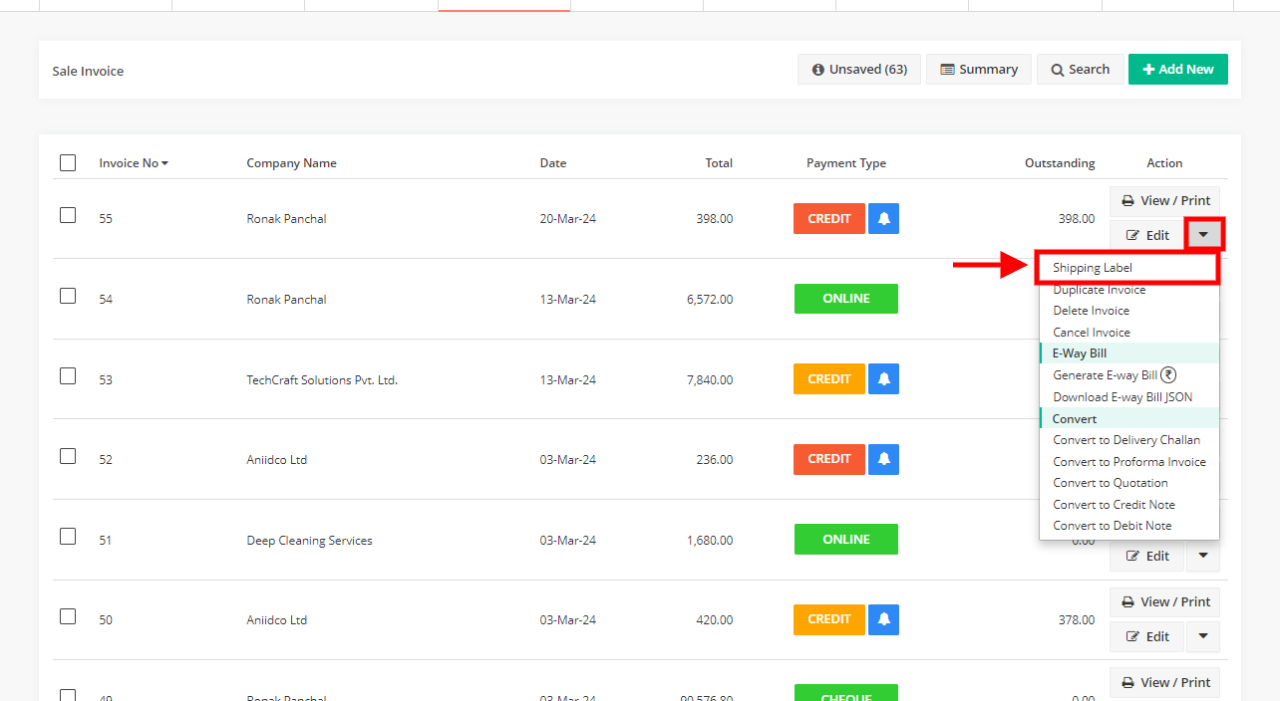
As the demand for shipping services continues to rise, it is vital to consider the environmental impact of printing shipping labels. The materials and processes used in label printing can significantly affect sustainability efforts. By selecting eco-friendly materials and implementing waste reduction strategies, businesses and individuals can contribute to a healthier planet while maintaining efficient shipping practices.
Eco-Friendly Materials for Shipping Labels
Using sustainable materials for shipping labels is an important aspect of reducing environmental impact. Various eco-friendly options are available that not only minimize waste but also provide durability and functionality.
- Recycled Paper Labels: These labels are made from post-consumer waste, reducing the need for new raw materials. They are often compatible with standard printers and can be printed on demand, which helps minimize excess inventory.
- Biodegradable Labels: Made from materials that decompose naturally, biodegradable labels break down in landfills and do not contribute to long-lasting waste. They are an excellent choice for environmentally conscious businesses.
- Plant-Based Adhesives: Labels that utilize adhesives derived from renewable resources reduce reliance on petroleum-based products. These adhesives can be just as effective as traditional options without the negative environmental impact.
- Water-Based Inks: Inks made from natural pigments and water reduce the harmful chemicals found in conventional inks, resulting in less pollution during production and disposal.
Strategies for Reducing Waste When Printing Shipping Labels
Implementing strategies to minimize waste during the printing process is essential for sustainable label production. By following these practices, individuals and companies can reduce their environmental footprint.
- Print in Batches: Consolidating shipments can help reduce the number of labels printed. By printing multiple labels at once, you can minimize paper waste and optimize time management.
- Use Digital Labels: Digital labels eliminate the need for physical printing by allowing shipping information to be sent electronically. This method not only saves paper but also streamlines the shipping process.
- Adjust Printer Settings: Ensure that printer settings are optimized for label printing, including the use of draft mode for internal labels. This can conserve ink and paper while maintaining adequate quality for non-client-facing documents.
- Utilize Label Templates: Standardizing label sizes and formats can help reduce wasted space and materials. By using templates that fit your shipping needs, you can minimize excess paper usage.
Tips on Recycling and Reusing Shipping Supplies
Maximizing the lifecycle of shipping supplies is crucial for reducing environmental impact. By adopting recycling and reuse practices, you can contribute to a more sustainable shipping environment.
- Recycling Shipping Materials: Set up a recycling program for used packaging materials, including labels and boxes. Educate your team on proper recycling methods to ensure materials are disposed of responsibly.
- Reuse Boxes and Envelopes: Consider reusing shipping boxes and padded envelopes for outgoing packages. By doing so, you can extend the life of these materials and minimize waste.
- Repurpose Labels: If a label is partially used or incorrect, consider cutting it down and reusing the remaining space for new shipping information. This simple practice helps reduce unnecessary waste.
- Partner with Local Recycling Initiatives: Collaborate with local organizations focused on recycling and sustainability. This can help ensure that your waste is disposed of in environmentally friendly ways.
Advanced Techniques for Custom Shipping Labels
Creating custom shipping labels that not only serve a practical purpose but also reflect the essence of your brand is a vital aspect of modern logistics. Unique labels enhance brand recognition and create a professional appearance, making your shipments stand out in a crowded marketplace. By leveraging advanced techniques, you can design labels that are both functional and aesthetically pleasing.One of the key advancements in label printing is the incorporation of QR codes and barcodes.
These elements not only streamline the shipping process but also add a layer of interactivity for customers. Including a QR code on your shipping labels can provide instant access to your website, promotional materials, or tracking information, which enhances customer engagement. Barcodes, on the other hand, simplify inventory management and tracking, making your shipping process more efficient.
Designing Unique Shipping Labels
Creating custom shipping labels begins with a solid design that reflects your brand identity. Consider the following essential elements when designing your labels:
- Brand Colors and Logo: Integrate your brand colors and logo prominently in the design to ensure immediate recognition. This branding helps reinforce your company’s image and builds customer loyalty.
- Typography: Choose fonts that are clear and align with your brand aesthetics. The text should be easily readable while maintaining a stylish look that complements your overall branding.
- Visual Elements: Incorporate images, patterns, or other graphics that resonate with your brand. Unique visual elements can help make your labels more memorable.
- Label Size and Shape: Consider using non-traditional shapes or sizes that can differentiate your packages from standard shipping labels. Custom shapes can also enhance the unboxing experience for customers.
Integration of QR Codes and Barcodes
Including QR codes and barcodes on your shipping labels can enhance functionality and customer interaction. These codes serve different purposes but are crucial for modern shipping practices:
- QR Codes: These can link to product pages, special promotions, or customer surveys, providing an interactive experience for recipients. By scanning the QR code, customers can quickly access relevant information without needing to type a URL.
- Barcodes: Essential for tracking shipments, barcodes can simplify inventory processes and ensure accurate delivery. They allow for quick scanning and data entry, reducing human error and improving overall efficiency.
Using Design Software for Label Creation
Designing effective shipping labels requires the right tools. Here’s a guide for utilizing design software to create your labels:
- Select Appropriate Software: Use software such as Adobe Illustrator, Canva, or Inkscape that offers robust design features and flexibility. These platforms provide templates and design elements that can simplify the creation process.
- Create a Template: Start with a blank canvas or a template that matches your label size. Establish guidelines for where to place your brand elements, QR codes, and text to ensure a cohesive look.
- Incorporate Design Elements: Add brand logos, colors, and other designs. Ensure high-resolution images are used to maintain quality when printed.
- Test Print: Before finalizing your design, print a sample to check colors, clarity, and overall appearance. Adjust as needed to ensure that the label looks professional and meets your expectations.
By mastering these advanced techniques for custom shipping labels, you can significantly enhance the presentation and functionality of your shipments, reinforcing your brand identity while improving customer experience.
Common Mistakes to Avoid When Printing Shipping Labels
Printing shipping labels may seem straightforward, but several common mistakes can lead to inefficiencies and increased costs. Recognizing these pitfalls is essential for ensuring a smooth shipping process. By identifying frequent errors, you can save time, money, and frustration while maintaining a professional image for your business.One of the most common mistakes in the label printing process is incorrect information entry.
Errors in names, addresses, and postal codes can cause packages to be misdelivered or returned. It is vital to double-check all details before proceeding to print. A single erroneous character can lead to significant delays and customer dissatisfaction.
Frequent Errors in Label Printing
Understanding typical errors can help you streamline your label printing process. The following points highlight some frequent mistakes to avoid:
- Incorrect Address: Ensure that the recipient’s address is accurate, including the street name, number, city, state, and zip code.
- Wrong Shipping Service: Select the appropriate shipping option that meets your delivery timeline and budget.
- Incompatible Label Size: Use the correct label size compatible with your printer to avoid printing issues.
- Missing Barcodes: Verify that barcodes are included and scannable for efficient processing at shipping facilities.
- Low-Quality Print Settings: Set your printer to the highest quality for clear and readable labels.
To minimize these mistakes, it is beneficial to implement a double-check system for label information. Creating a strategy that includes reviewing the details before printing can lead to a more efficient shipping process.
Checklist for Printing Shipping Labels
Using a comprehensive checklist can ensure that all steps in the label printing process are followed correctly. Consider the following checklist to enhance your accuracy:
- ✔ Verify recipient’s name and address for correctness.
- ✔ Confirm the chosen shipping method aligns with delivery needs.
- ✔ Check the settings on your printer for label size and print quality.
- ✔ Ensure the printer is loaded with the correct type of labels.
- ✔ Review the label layout on-screen before hitting the print button.
- ✔ Test print a sample label to verify alignment and quality.
By adhering to these guidelines, you can effectively reduce the chances of errors in your shipping labels, leading to a smoother and more efficient shipping operation. Each detail matters in maintaining customer satisfaction and operational efficiency.
Legal Requirements for Shipping Labels
Shipping labels are crucial for the safe and efficient transportation of packages. They not only provide essential information for delivery but also ensure compliance with legal regulations. Proper labeling is vital to avoid delays and penalties that may arise from non-compliance.Legal shipping labels must include various elements that comply with government and carrier regulations. It is important to understand these requirements to ensure proper handling and delivery of packages.
Here are the key legal elements that should be included on shipping labels:
Required Legal Information on Shipping Labels
The following information is typically mandated for all shipping labels:
- Sender’s Information: This includes the sender’s name, address, and contact number to facilitate communication in case of delivery issues.
- Recipient’s Information: The recipient’s name, complete address, and phone number are essential for accurate delivery.
- Tracking Number: Most carriers require a unique tracking number to monitor the package throughout its journey.
- Shipping Class or Service Type: Indicating the shipping method, such as standard, expedited, or overnight, is necessary for pricing and delivery expectations.
- Hazardous Materials Declaration: If the package contains hazardous materials, appropriate labeling is required to comply with safety regulations.
Errors in labeling can lead to significant consequences, such as delays in delivery, return of packages, or even legal penalties. Incorrect labeling can cause misunderstandings regarding the contents of the package, which may result in fines or additional charges from carriers or regulatory agencies. To avoid penalties, it is essential to double-check all information and stay informed about the latest shipping regulations.
Staying Updated on Shipping Regulations
Shipping regulations can change frequently, making it essential for businesses and individuals to remain informed. Regularly consulting the following resources can help:
- Carrier Websites: Major carriers like UPS, FedEx, and USPS regularly update their policies and requirements for shipping labels.
- Government Agencies: National and international agencies, such as the Federal Aviation Administration (FAA) or the International Air Transport Association (IATA), provide guidelines for shipping regulations, especially for hazardous materials.
- Industry Associations: Organizations related to logistics and shipping often publish newsletters and reports on current regulations and best practices.
Regular training and workshops can also contribute to ensuring compliance with shipping laws. By actively seeking information and implementing it, businesses can avoid the pitfalls associated with incorrect shipping labels.
Final Review
In conclusion, mastering the process of How to Print Shipping Labels from Home can greatly benefit your shipping routine, making it more efficient and tailored to your specific needs. By following the steps Artikeld in this guide, you can avoid common pitfalls, keep your costs low, and even embrace environmentally friendly practices. Whether for personal use or business purposes, printing labels from home empowers you to take control of your shipping process.