Delving into How to Create a Pop-Up That Doesn’t Annoy Visitors, we explore the delicate balance between engaging users and respecting their online experience. Pop-ups can be a powerful tool for capturing attention and driving actions when executed thoughtfully, yet they often provoke frustration when mishandled. Understanding the importance of user experience is essential in ensuring that pop-ups enhance rather than detract from a visitor’s journey on your website.
This discussion will guide you through various types of non-intrusive pop-ups, best practices for their design, effective copywriting techniques, and the significance of timing and frequency. By adhering to these principles, you will be equipped to create pop-ups that invite interaction without compromising user satisfaction.
Importance of User Experience

User experience (UX) is a critical aspect of website engagement that directly influences how visitors interact with your site. A well-designed user experience fosters positive feelings and encourages users to return, while a negative experience can lead to high bounce rates and loss of potential customers. Understanding the impact of UX on user perception and behavior is essential for optimizing website functionality and achieving business goals.Pop-ups, while potentially useful for capturing attention and generating leads, can significantly affect user perception and behavior.
If not implemented thoughtfully, they may come across as intrusive or annoying, leading to frustration and even abandonment of the site. The balance between effective engagement and respecting the user’s browsing experience is delicate, and it is vital to recognize the nuances that contribute to a positive interaction.
Factors That Contribute to a Positive User Experience
Several key factors are essential in shaping a positive user experience on websites. Understanding these factors not only enhances usability but also promotes a welcoming atmosphere for visitors. The following elements play a significant role in achieving this:
- Clarity and Simplicity: A clean and intuitive design helps users navigate easily. Content should be organized logically, allowing visitors to find what they seek without confusion.
- Responsive Design: Websites must be accessible and functional across various devices, including smartphones and tablets. A responsive design improves accessibility and caters to a broader audience.
- Load Time: Fast-loading pages are crucial for retaining visitors. Studies indicate that even a delay of a few seconds can lead to higher bounce rates. Optimizing images and reducing unnecessary scripts can enhance loading speed.
- Relevant Content: Providing content that meets user needs and interests keeps visitors engaged. Tailoring information to the target audience increases the likelihood of positive interaction.
- User Feedback: Implementing mechanisms to gather user feedback allows continuous improvement. Surveys and feedback forms provide insights into areas that require enhancement.
“User experience encompasses all aspects of the end-user’s interaction with the company, its services, and its products.”
Incorporating these factors into the design and functionality of a website will significantly contribute to a positive user experience. As a result, visitors are more likely to enjoy their interactions, leading to increased engagement and higher conversion rates.
Types of Non-Intrusive Pop-Ups
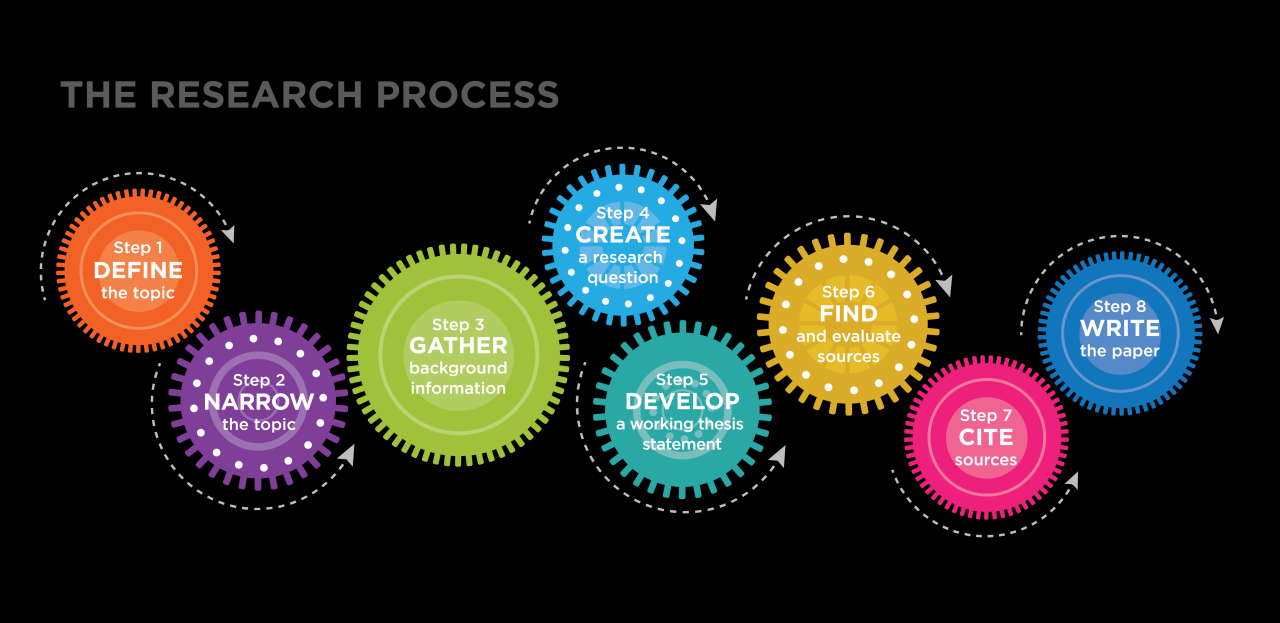
Non-intrusive pop-ups are designed to engage users without disrupting their browsing experience. By focusing on the user experience, these pop-ups can effectively capture attention while maintaining a friendly interface. This section Artikels various types of user-friendly pop-ups, including their features and optimal timing for display.
Examples of User-Friendly Pop-Up Designs
Non-intrusive pop-ups come in several forms, each with unique characteristics that enhance user engagement without causing frustration. Understanding these designs helps in creating effective marketing strategies. Below are some popular types along with their respective features:
- Exit-Intent Pop-Ups: These appear when a user is about to leave a website, offering a last chance to engage with an offer or content. For instance, a discount code can be presented just as the cursor moves toward the close button.
- Timed Delayed Pop-Ups: These pop-ups are displayed after a user has spent a specific amount of time on a page, indicating that they are interested in the content. An example would be a subscription invitation appearing after two minutes of browsing.
- Scroll-Based Pop-Ups: These appear when a user scrolls to a certain part of a webpage, signaling that they are engaged with the content. For example, a pop-up could offer a related article or download option once a user scrolls past 70% of the page.
- Slide-In Notifications: Unlike traditional pop-ups, slide-ins emerge from the side or corner of the screen without covering the main content. This could be a notification about a new blog post that slides in subtly while the user is engaged with the current page.
The timing of displaying pop-ups is crucial to their effectiveness. Each type of pop-up should be shown at strategically chosen moments to maximize user retention and satisfaction. For instance, exit-intent pop-ups should appear as the user is about to navigate away, while scroll-based pop-ups should consider the user’s engagement level on the site.
Understanding the user’s journey on your website is essential for determining the right moment to present a non-intrusive pop-up.
By utilizing these non-intrusive designs, marketers can enhance user engagement and improve overall website interaction without compromising the user experience.
Best Practices for Designing Pop-Ups
In the competitive digital landscape, the design of pop-ups is crucial in ensuring they serve their purpose without disrupting the user experience. A well-designed pop-up not only captures attention but also aligns with the overall branding of the website. This section Artikels best practices for creating visually appealing pop-ups that resonate with users while effectively communicating their intended message.
Visually Appealing Pop-Up Designs
Creating a visually appealing pop-up is essential for attracting visitors’ attention without being intrusive. The following points highlight key aspects to consider when designing pop-ups:
- Maintain a clean layout: Ensure that the pop-up design is uncluttered, making it easy for users to read and comprehend the message quickly.
- Use high-quality images: Incorporate relevant and professional images that enhance the message without distracting from the main content.
- Optimize for mobile: Design pop-ups that are responsive and easily viewable on various screen sizes, particularly for mobile users.
Incorporating Branding Elements
Brand consistency is pivotal in fostering recognition and trust among users. Integrating branding elements into pop-up designs can strengthen this connection if done thoughtfully. Here are some guidelines:
- Include logo placement: Position the company logo prominently but subtly to reinforce branding without overwhelming the visitor.
- Utilize brand colors: Use the primary brand colors to maintain uniformity, ensuring that the pop-up aligns with the overall aesthetic of the website.
- Adhere to brand voice: Ensure that the language and tone used in the pop-up reflect the brand’s personality, whether it’s professional, casual, or playful.
Selecting Color Schemes and Font Styles
The choice of color schemes and font styles significantly influences the effectiveness of pop-ups in engaging users. The following guidelines Artikel how to make thoughtful selections:
- Choose contrasting colors: Utilize contrasting colors for text and background to enhance readability while ensuring it fits the overall design scheme.
- Limit color palette: Stick to a maximum of three colors to avoid overwhelming users, focusing on those that align with the brand identity.
- Select legible fonts: Opt for clean and simple font styles that are easy to read, ensuring that the font size is appropriate for visibility on all devices.
Effective design harmonizes branding, user engagement, and easy navigation, enhancing the overall user experience.
Effective Copywriting for Pop-Ups
Effective copywriting is crucial for pop-ups, as it can determine whether a visitor engages with your message or closes it immediately. Concise and compelling copy not only captures attention but also encourages action, making it an essential component of user experience. Understanding how to craft your message effectively can lead to better conversion rates and improved interactions with your audience.Writing effective copy for pop-ups requires a strategic approach that emphasizes clarity and relevance.
Visitors are typically inundated with information, so your message must stand out while remaining succinct. Compelling copy should resonate with the visitor’s needs and provide an immediate benefit, all while ensuring that it aligns with the overall tone of your website.
Strategies for Writing Concise and Compelling Copy
When composing pop-up messages, specific strategies can enhance the effectiveness of your copy. These strategies focus on clarity, brevity, and engagement. The following points highlight essential practices for creating impactful pop-up messages:
- Keep It Short: Aim for brevity by using clear and straightforward language. Limit your message to a few sentences that convey the essential information without unnecessary fluff.
- Focus on Benefits: Highlight what visitors will gain by engaging with the pop-up. Clearly state the value proposition to encourage them to take action.
- Utilize Strong Verbs: Use action-oriented language that prompts a response. Verbs like “Join,” “Get,” or “Discover” can effectively motivate users.
- Personalization: Tailor your messages based on visitor data to make them feel relevant and engaging. Customized messages can significantly increase engagement rates.
- Use a Conversational Tone: A friendly, approachable tone can create a connection with visitors, making them more likely to interact with the pop-up.
Importance of a Clear Call-to-Action (CTA)
A clear call-to-action (CTA) is fundamental in pop-up messaging as it directs visitors on the next steps they should take. A well-crafted CTA not only guides users but also drives conversions by creating a sense of urgency or excitement. The effectiveness of a CTA can make the difference between a fleeting glance and meaningful engagement.Effective CTAs should be easily identifiable and visually distinct within the pop-up.
They should use imperative language to encourage immediate action. For instance, instead of saying “Learn More,” a more compelling CTA could be “Unlock Your Discount Now,” prompting users to take action right away.
Tailoring Copy to Align with Visitor Intent and Context
Understanding visitor intent and context is pivotal in crafting pop-up copy that resonates. Tailoring messages to the specific needs and behaviors of your audience can significantly enhance engagement. Consider the following factors when aligning your copy:
- Visitor Behavior: Analyze the actions visitors take on your site. For instance, if someone is browsing a product page, a targeted message offering a discount relevant to that product can capture their interest.
- Time on Page: The duration a visitor spends on a page can indicate their engagement level. For users who linger, consider a pop-up that invites them to subscribe for exclusive content.
- Demographics: Understanding your audience’s demographics can help tailor your language and offers. Pop-ups targeting specific age groups or interests can be more effective than generic messages.
- Previous Interactions: Use data from previous visits to inform your pop-up messaging. If a visitor has previously signed up for newsletters, a reminder pop-up about new content can reinforce their interest.
Timing and Frequency of Pop-Ups
Determining the optimal timing and frequency for pop-up displays is crucial for maintaining a positive user experience. Pop-ups that appear at the right moment can enhance engagement, prompting users to take desired actions without overwhelming them. Understanding user behavior and preferences plays a significant role in this process.The best timing for pop-up displays often depends on user engagement patterns. Analyzing data such as page visit duration, scroll depth, and user interactions can provide valuable insights into when users are most receptive to receiving messages.
Pop-ups should be timed to coincide with moments when users are likely to be most engaged, rather than interrupting their browsing experience.
User Behavior Analysis
To effectively determine the timing for pop-ups, businesses should conduct a thorough analysis of user behavior. This involves examining key metrics to identify optimal moments for displaying pop-ups. Here are important considerations to keep in mind:
- Page Visit Duration: If users spend a considerable amount of time on a page, it may indicate they are interested in the content, making it a suitable moment for a pop-up.
- Scroll Depth: Triggering a pop-up once users have scrolled down a certain percentage of a page can indicate engagement and receptiveness to additional information.
- Click Engagement: Monitor areas where users frequently click; this can help identify when to present relevant offers or messages.
- Exit Intent: Using technology to detect when a user is about to leave the site can be an effective strategy for presenting last-minute offers or requests for feedback.
Importance of Frequency
The frequency with which pop-ups are presented is equally significant. Overexposure to pop-ups can lead to user frustration, diminishing the effectiveness of the message. Establishing a balanced frequency helps maintain user interest while avoiding annoyance.To manage pop-up frequency effectively, businesses can implement a schedule template that aligns with user behavior. Regular assessments of user interaction data can ensure the frequency remains appropriate.
Here is a sample frequency schedule template based on user behavior:
| Visitor Status | Pop-Up Frequency | Timing |
|---|---|---|
| New Visitors | Once per session | After 30 seconds on the page |
| Returning Visitors | Twice per session | After 1 minute on the page |
| High Engagement Users | Every other session | After scrolling 75% of the page |
| Users with Exit Intent | Once | Immediately before leaving |
“Well-timed pop-ups can enhance user engagement, while poorly timed ones may drive users away.”
A/B Testing Pop-Up Strategies
A/B testing is a pivotal strategy for optimizing pop-ups and enhancing user engagement on websites. By comparing different versions of pop-ups, businesses can identify which designs and messages resonate best with their audience. This method not only helps in refining the overall user experience but also boosts conversion rates by ensuring that the most effective elements are utilized.Establishing a robust framework for A/B testing is crucial in deriving meaningful insights from the variations tested.
The process begins with defining a clear hypothesis about what changes might improve user interaction, such as altering the design, messaging, or call-to-action of the pop-up.
Framework for A/B Testing
To conduct effective A/B tests on pop-up variations, follow these structured steps:
1. Identify the Objective
Clearly define what you want to achieve with your pop-up, whether it’s increasing sign-ups, downloads, or purchases.
2. Select Variables to Test
Focus on one element at a time, such as color, layout, timing, or copy, to accurately measure the impact of changes.
3. Create Variations
Develop at least two versions of the pop-up. For instance, you might test a pop-up with a bold headline against one with a softer approach.
4. Determine Sample Size
Ensure you have a sufficient number of visitors to obtain statistically significant results, which can be calculated using online sample size calculators.
5. Run the Test
Use A/B testing tools to run the test, ensuring that each version is shown to similar groups of visitors to prevent skewed data.
6. Analyze Results
After a predetermined period, compare the performance of the two versions based on key metrics such as conversion rate, click-through rate, and user engagement.
Metrics for Evaluating Effectiveness
To determine the success of different pop-up strategies, it is essential to monitor specific metrics. The following indicators provide valuable insights into pop-up performance:
Conversion Rate
This metric indicates the percentage of visitors who completed the desired action after interacting with the pop-up. A higher conversion rate signifies that the pop-up effectively persuaded users.
Click-Through Rate (CTR)
The CTR measures the proportion of visitors who clicked on the pop-up compared to the total number of visitors who viewed it. This helps gauge the pop-up’s appeal.
Bounce Rate
Monitor whether visitors exit the site immediately after interacting with the pop-up. A high bounce rate may indicate that the pop-up is intrusive or poorly designed.
User Engagement
Tracking how long users remain on the site after interacting with a pop-up can indicate whether the content was engaging enough to encourage further exploration.
Success lies in understanding the data collected through A/B testing and making informed decisions to enhance the user experience.
Utilizing Data for Refinement
The insights obtained from A/B testing not only help in identifying effective pop-up variations but also inform ongoing strategies for refinement. Consider the following tips for leveraging data:
Iterate Based on Feedback
Use the data to make incremental improvements to your pop-up designs and messaging. For instance, if a certain call-to-action performed significantly better, incorporate similar language in future tests.
Segment Analysis
Analyze performance across different audience segments (e.g., new vs. returning visitors) to tailor pop-up strategies that cater to diverse user preferences.
Continuous Monitoring
A/B testing should not be a one-time effort. Regularly test new ideas and designs to stay relevant and responsive to user behavior changes over time.
Document Results
Maintain thorough records of all testing results, as this historical data can provide valuable guidance for future campaigns and can lead to more strategic decision-making.By systematically applying A/B testing frameworks and focusing on relevant metrics, businesses can optimize their pop-up strategies effectively, ensuring a positive user experience while achieving their marketing objectives.
Tools and Software for Creating Pop-Ups
In today’s digital landscape, utilizing effective pop-up tools can significantly enhance user engagement without disrupting the browsing experience. Various software options available in the market cater to different needs and preferences, allowing businesses to create pop-ups that are both attractive and non-intrusive.When selecting a tool for designing and implementing pop-ups, it is essential to consider features that enhance user engagement, such as targeting options, design flexibility, and analytics capabilities.
Below is a compilation of popular tools for creating pop-ups, along with their key features and pricing models.
Popular Pop-Up Creation Tools
The following is a list of notable tools that facilitate the creation of effective pop-ups, designed to attract user attention while ensuring a pleasant browsing experience:
- OptinMonster
OptinMonster is renowned for its conversion optimization features. It offers a range of templates, targeting options, and exit-intent technology, enabling users to engage with visitors at critical moments. The pricing starts at $16 per month, depending on the plan and features.
- Sumo
Sumo provides a suite of tools, including email capture forms and social sharing buttons. Its pop-up forms are easy to customize, and it offers analytics to track performance. Sumo has a free tier, with premium features starting at $39 per month.
- Popup Maker
This WordPress plugin allows users to create customizable pop-ups with various triggers and conditions. It is user-friendly and integrates seamlessly with WordPress sites. The basic plugin is free, with premium extensions available for additional functionality starting at $79 per year.
- Justuno
Justuno specializes in lead generation, offering pop-ups that can be tailored based on user behavior. Its features include A/B testing and advanced analytics for performance tracking. Pricing begins at $29 per month.
- Mailchimp
Known for its email marketing capabilities, Mailchimp also provides pop-up forms that can be integrated with its email campaigns. Users benefit from a variety of templates and customization options. Pricing starts free for basic features, with advanced plans available at varying rates.
Comparative Analysis of Pop-Up Tools
Understanding the pricing models and usability of various pop-up software options is crucial for making an informed decision. The following table summarizes essential information regarding the selected tools:
| Tool | Key Features | Pricing Model | Usability |
|---|---|---|---|
| OptinMonster | Templates, targeting options, exit-intent | From $16/month | Highly user-friendly with drag-and-drop builder |
| Sumo | Email capture, social sharing, analytics | Free tier, premium from $39/month | Simple setup, easy integration with websites |
| Popup Maker | Customizable pop-ups, triggers | Free basic, premium from $79/year | Intuitive interface for WordPress users |
| Justuno | Lead generation, A/B testing | From $29/month | Robust dashboard for managing campaigns |
| Mailchimp | Email marketing integration, templates | Free basic, advanced plans available | Familiar interface for existing users |
Monitoring and Analyzing Pop-Up Performance
Tracking the performance of pop-ups is crucial for understanding their effectiveness and ensuring they contribute positively to user experience. By monitoring specific metrics, businesses can refine their pop-up strategies to better engage visitors without causing annoyance. Analyzing performance data helps in identifying areas of improvement and optimizing the overall impact of pop-ups on conversion rates.
Key Performance Indicators for Tracking Pop-Up Success
Identifying the right key performance indicators (KPIs) allows businesses to evaluate the success of their pop-ups objectively. Some essential KPIs include:
- Conversion Rate: The percentage of visitors who complete the desired action after interacting with the pop-up, such as signing up for a newsletter or making a purchase.
- Click-Through Rate (CTR): The ratio of users who click on the pop-up compared to those who see it, indicating the pop-up’s attractiveness and relevance.
- Exit Rate: The percentage of visitors who leave the site after interacting with the pop-up, providing insights into potential frustrations caused by the pop-up.
- Time on Page: Analyzing how long users stay on the site after viewing the pop-up can help understand its impact on user engagement.
User Feedback Collection Methods
Collecting user feedback on pop-up experiences is vital for gauging visitor sentiment and improving future iterations. Effective methods include:
- Surveys: Deploying short surveys immediately after a user interacts with a pop-up can provide insights into their experience and satisfaction levels.
- User Testing: Conducting tests with real users helps observe their reactions and gather qualitative data regarding the pop-up’s design and functionality.
- Feedback Widgets: Incorporating feedback buttons or widgets on the site allows users to share their opinions on pop-ups at their convenience.
- Social Media Monitoring: Keeping an eye on social media channels can provide unfiltered feedback about user experiences with pop-ups mentioned by visitors.
Framework for Ongoing Optimization Based on Performance Data
Establishing a framework for continuous optimization ensures that pop-ups remain effective and user-friendly. This framework should involve:
- Regular Data Review: Set a schedule for reviewing performance metrics and user feedback to identify trends and areas that require adjustment.
- Iterative Testing: Employ A/B testing regularly to compare different pop-up designs, messaging, and timing to determine which variations yield better results.
- Responsive Adjustments: Be prepared to make real-time adjustments based on changing user behavior or trends observed from the data collected.
- Goal Alignment: Ensure that all changes align with broader business objectives, such as increasing customer engagement or enhancing brand loyalty.
“Continuous optimization is not just about making changes; it’s about making informed decisions based on data and user feedback.”
Conclusive Thoughts
In conclusion, mastering the art of pop-up creation involves a thoughtful approach that prioritizes user experience while achieving your engagement goals. By implementing the strategies discussed, including A/B testing and performance monitoring, you can refine your pop-up designs to better resonate with your audience. Ultimately, the goal is to create a seamless interaction that respects and values the visitor’s experience, ensuring that your pop-ups become a welcomed addition rather than an annoyance.