As How to Optimize Your Store’s Loading Speed takes center stage, we delve into the crucial aspects that impact user experience and conversion rates. The significance of loading speed cannot be overstated, as it not only enhances customer satisfaction but also influences search engine rankings, thereby affecting visibility in a competitive online marketplace. With compelling statistics highlighting the correlation between swift loading times and consumer behavior, it becomes evident that investing in optimization is paramount for any online store seeking success.
This discussion will explore the various factors affecting loading speed, from server response times to the optimization of images. We will also unveil effective techniques to enhance performance, introduce useful tools for measuring speed, and emphasize the importance of best practices in content management. By the end, you’ll be equipped with actionable insights to ensure your store runs smoothly and efficiently.
Importance of Store Loading Speed

The loading speed of an online store is a critical factor that directly influences user experience, conversion rates, and search engine optimization. A fast-loading website not only enhances customer satisfaction but also plays a significant role in the overall success of an e-commerce business. As online shopping continues to grow, the importance of optimizing loading speed cannot be overstated.Loading speed significantly affects user experience by determining how quickly visitors can access content.
Studies have shown that even a one-second delay in loading time can lead to a 7% reduction in conversions. This reduction is particularly noticeable in e-commerce, where every second counts. Moreover, customers are likely to abandon a site that takes over three seconds to load, as shown in multiple surveys. Beyond immediate user experience, loading speed also impacts search engine ranking.
Google, for instance, considers page speed as a ranking factor in its algorithms, meaning that slower sites may struggle to achieve visibility in search results.
Statistics on Loading Speed and Customer Behavior
Understanding the relationship between loading speed and customer behavior is essential for any online retailer. Research indicates that:
- Approximately 53% of mobile users abandon sites that take longer than three seconds to load.
- Nearly 80% of consumers who encounter a slow-loading website are less likely to return.
- Fast-loading sites can lead to a remarkable increase in engagement, with users spending more time on pages that load quickly.
- A 0.1-second improvement in load time can boost conversion rates by up to 8%, illustrating the fine line between speed and revenue.
These statistics highlight the critical nature of loading speed in not just retaining customers but also in maximizing potential sales. Retailers must prioritize optimizing their web pages to enhance user experience while ensuring they remain competitive in search engine rankings.
“Every second counts; a fast loading time is a vital part of customer satisfaction and retention.”
Factors Affecting Loading Speed
The loading speed of an online store is influenced by various factors that can significantly affect user experience and conversion rates. Understanding these factors is essential for store owners who aim to enhance their site’s performance and maintain customer satisfaction.One of the primary determinants of loading speed is the server response time. A slow server can severely impact how quickly a page loads, regardless of the optimizations in place.
Additionally, the size of files, including HTML, CSS, JavaScript, and images, plays a crucial role in loading times. Larger files take longer to download, thereby increasing the time it takes for a web page to become fully interactive.
Image Optimization
Images are often the largest files on any web page, making their optimization vital for improving loading speed. Properly optimized images can significantly reduce the loading time without compromising quality. This involves several strategies, such as:
- Choosing the right file format: Using formats like JPEG for photographs and PNG for graphics with transparency can affect loading efficiency.
- Compressing images: Reducing file size through compression techniques can drastically lower load times while preserving visual quality.
- Implementing responsive images: Utilizing different image sizes for various devices ensures that users download only what they need, enhancing performance on mobile devices.
Optimizing images not only reduces loading times but also improves rankings, as search engines favor fast-loading sites.
Impact of Third-Party Scripts
The use of third-party scripts, such as analytics tools, advertising networks, and social media widgets, can have a substantial negative effect on a website’s loading speed. Each script must be downloaded and executed, which can introduce delays. The following points illustrate the impact of these scripts:
- Increased HTTP requests: Each script typically requires an additional HTTP request, leading to longer loading times.
- Blocking rendering: Some scripts can block the rendering of the page, causing users to wait longer before they see any content.
- Potential conflicts: Third-party scripts can conflict with each other or with the website’s code, leading to errors that may degrade performance.
By limiting the use of third-party scripts and loading them asynchronously where possible, store owners can mitigate their negative impact on loading speed, ensuring a smoother user experience.
Reducing server response time and optimizing images are crucial strategies for enhancing loading speed, ultimately leading to improved user satisfaction and better conversion rates.
Techniques to Improve Loading Speed
Optimizing the loading speed of your online store is essential for enhancing user experience and improving conversion rates. By employing effective techniques, you can significantly reduce loading times and create a more efficient shopping environment for your customers.
Best Practices for Optimizing Images
Images often represent a significant portion of the total page weight, which can greatly affect loading speed. Therefore, optimizing images is crucial for quick loading times. Implement the following best practices:
- Use the Right File Format: Choose the appropriate image format; JPEG is ideal for photographs, while PNG is better for images with transparency and graphics.
- Compress Images: Utilize tools like TinyPNG or ImageOptim to reduce file sizes without sacrificing quality. Compression can lead to significant savings in loading time.
- Implement Lazy Loading: This technique loads images only when they enter the viewport, which can decrease initial loading time and improve overall performance.
- Specify Image Dimensions: Always define width and height attributes in your HTML to help the browser allocate space for images before they load.
- Use Responsive Images: Employ the srcset attribute for serving different image sizes based on the device’s resolution, ensuring optimal loading on all devices.
Benefits of Using a Content Delivery Network (CDN)
A Content Delivery Network (CDN) can drastically enhance loading speed by distributing your content across multiple servers globally. This reduces the physical distance between your server and the user, leading to faster data retrieval. Key benefits of using a CDN include:
- Reduced Latency: By serving content from a server closest to the user, a CDN minimizes the time it takes for data to travel, improving loading times significantly.
- Increased Availability and Redundancy: CDNs are designed to handle traffic spikes and server outages, ensuring that your store remains accessible at all times.
- Improved Security: Many CDNs offer enhanced security features such as DDoS protection and SSL encryption, which can further enhance user trust and site performance.
- Optimized Caching: CDNs cache your content, which means that repeated requests for the same resources are served quickly from the nearest cache, reducing the load on your origin server.
Minimizing HTTP Requests for Improved Performance
Reducing the number of HTTP requests can lead to faster loading times, as each request adds latency. Techniques to minimize these requests include:
- Combine CSS and JavaScript Files: Merging multiple CSS and JavaScript files into a single file reduces the number of requests, leading to quicker loading times.
- Utilize CSS Sprites: By combining multiple images into a single sprite sheet, you can reduce the number of image requests, thus speeding up page rendering.
- Defer Loading of Non-Essential Resources: Employing asynchronous loading for scripts that are not crucial for the initial rendering of the page can prevent delays.
- Limit Use of Web Fonts: Choose a limited number of web fonts and styles to decrease the number of requests; consider using system fonts where appropriate.
- Implementing Gzip Compression: Enabling Gzip compression for text files can significantly reduce file sizes, leading to fewer data transfers and faster loading times.
Tools for Measuring Loading Speed

Measuring your store’s loading speed is crucial for understanding user experience and optimizing performance. Various tools are available that can help you assess loading times, identify bottlenecks, and enhance your website’s overall efficiency. Selecting the right tool can provide you with the necessary insights to improve your store’s performance significantly.Understanding the results generated by these tools is essential. They typically provide a range of metrics, including load time, page size, and the number of requests made.
By learning how to interpret these results, you can identify specific areas for improvement, such as optimizing images, reducing server response time, or minimizing CSS and JavaScript files. Regular speed tests and performance monitoring ensure that your website maintains optimal performance over time, allowing you to make informed decisions based on data-driven insights.
Comparison of Tools for Measuring Loading Speed
Several tools are available for measuring your store’s loading speed. Below is a comparison table that Artikels some of the most widely used options.
| Tool Name | Key Features | Free/Paid | Best for |
|---|---|---|---|
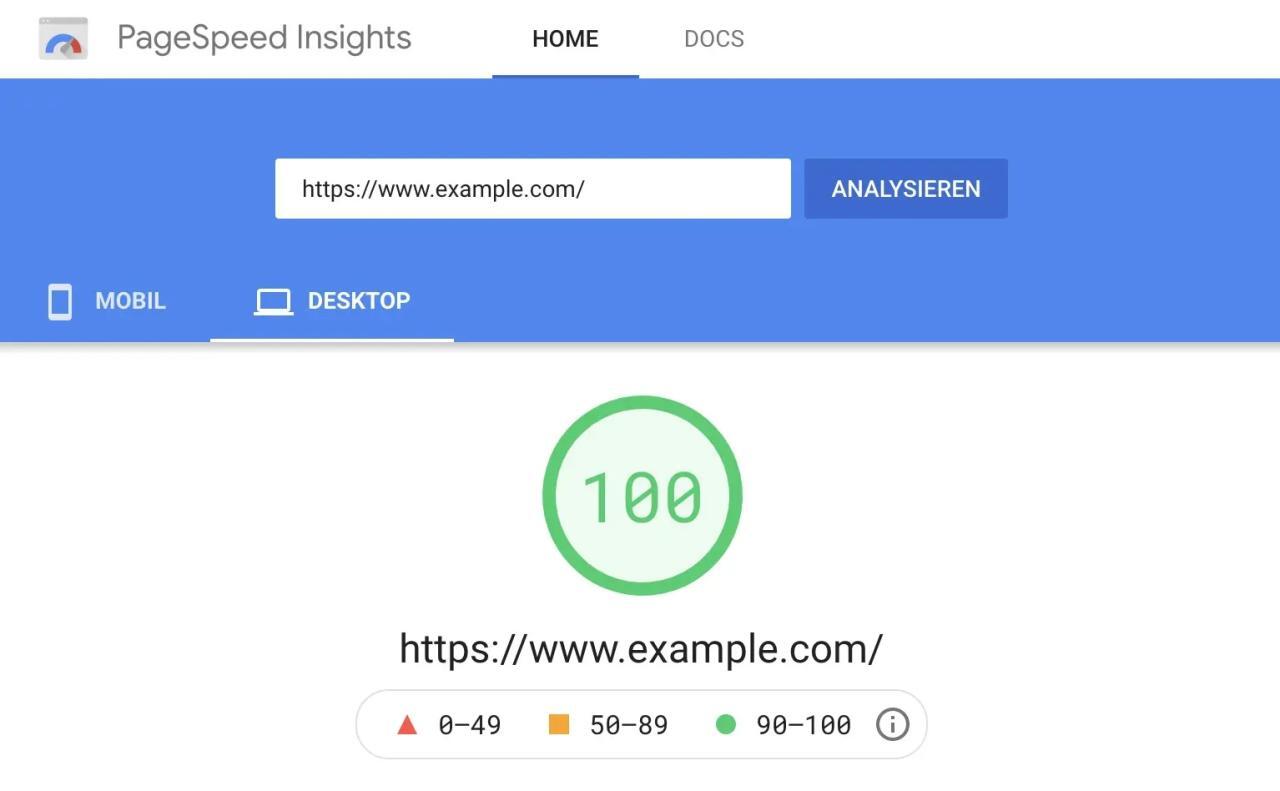
| Google PageSpeed Insights | Provides performance scores, suggestions for improvement, and mobile optimization analysis. | Free | General assessment and optimization suggestions. |
| GTmetrix | Detailed reports on loading time, performance scores, and recommendations for fixes. | Free/Paid | In-depth analysis and monitoring over time. |
| Pingdom | Real user monitoring, performance grade, and detailed breakdown of loading time. | Paid | Comprehensive performance monitoring and insights. |
| WebPageTest | Advanced testing options, including different browser simulations and connection speeds. | Free | Technical analysis and in-depth performance metrics. |
| Uptrends | Multi-location testing, real user monitoring, and detailed waterfall charts. | Paid | Enterprise-level monitoring and analysis. |
Interpreting the results from these tools involves examining key metrics that they provide. The most critical metrics include:
Loading Time
The total time it takes for your webpage to become fully interactive.
Page Size
The total size of all assets loaded on the page.
Requests
The number of individual files (CSS, JavaScript, images) that the browser requests to load the page.By focusing on these metrics, you can gain insights into what might be slowing your site down. For example, if loading time is excessively high, it may indicate that images are too large or that there are too many requests being made.The importance of regular speed tests cannot be overstated.
Frequent performance monitoring allows you to track changes over time and assess the impact of any modifications made to your website. Tools like Google PageSpeed Insights or GTmetrix can help you establish a baseline for your store’s performance and set benchmarks to meet. Regularly checking your loading speed can help identify issues before they affect your customers, ensuring a seamless shopping experience.
Best Content Management Practices
Maintaining optimal loading speed for your online store involves implementing effective content management practices. By organizing content efficiently and minimizing the use of heavy plugins, businesses can significantly enhance website performance. Additionally, keeping software updated ensures compatibility and security, further contributing to a smooth user experience.
Organizing and Managing Content
A well-structured content organization can lead to improved loading speed and user experience. Streamlining content involves categorizing products and information logically, which not only aids in faster access but can also enhance performance. Here are some practices to consider:
- Utilize hierarchical structures for product categories to facilitate easy navigation.
- Implement lazy loading for images and videos, allowing content to load progressively as users scroll.
- Compress images and use modern formats like WebP to minimize file sizes without losing quality.
- Regularly audit content to remove outdated or irrelevant information, helping to keep the website light and efficient.
Minimizing Heavy Plugins and Extensions
While plugins and extensions can enhance functionality, excessive use can hinder performance. It is essential to manage these tools judiciously. Strategies for optimization include:
- Assess the necessity of each plugin and remove those that do not provide significant value.
- Choose lightweight plugins known for their efficiency and minimal impact on loading speed.
- Consider combining multiple functionalities into single plugins to reduce overhead.
- Regularly update and maintain existing plugins to ensure they continue to perform optimally.
Importance of Keeping Software and Platforms Updated
Regular updates to your content management system and associated software are crucial for maintaining performance and security. Outdated software can lead to vulnerabilities and compatibility issues that negatively affect loading speed. A proactive approach to updates includes:
- Scheduling routine updates for your CMS, plugins, and themes to keep up with the latest optimizations and security patches.
- Subscribing to newsletters or alerts from software providers to stay informed on critical updates.
- Performing backup procedures before implementing updates to prevent data loss during transitions.
- Testing updates in a staging environment to identify and resolve potential issues before going live.
The combination of efficient content organization, careful plugin management, and consistent software updates creates a robust strategy for optimizing store loading speed.
Mobile Optimization
The significance of mobile-friendly design cannot be overstated in today’s digital landscape. As the number of mobile users continues to rise, ensuring that your store is optimized for mobile devices has become essential for maintaining a competitive edge. A well-optimized mobile site not only enhances user experience but also positively impacts loading speed, leading to higher conversion rates and customer retention.Mobile site performance is influenced by various techniques tailored specifically to enhance speed and usability on smaller screens.
Implementing these techniques ensures that your store is accessible and performs well regardless of the device being used.
Techniques for Optimizing Mobile Site Performance
Optimizing mobile site performance involves several strategies that address the unique challenges of mobile browsing. These strategies are crucial for delivering a seamless experience to users. Consider the following techniques:
- Responsive Design: A responsive design adapts the layout and content to fit different screen sizes. This approach not only improves loading speed but also maintains a consistent user experience across all devices.
- Image Optimization: Reducing the size of images without sacrificing quality is essential for faster loading times. Techniques such as compression and using modern formats like WebP can significantly enhance performance.
- Minimizing HTTP Requests: Combining CSS, JavaScript, and image files can reduce the number of HTTP requests made during page loading. Fewer requests lead to quicker load times.
- Utilizing Accelerated Mobile Pages (AMP): AMP is a framework designed to create fast-loading pages specifically for mobile. Implementing AMP can lead to significant improvements in loading speed.
- Asynchronous Loading: Loading JavaScript asynchronously allows the main content to load without waiting for all scripts to finish. This results in a faster and more responsive experience for users.
Mobile usage trends underscore the importance of optimizing for mobile devices. According to recent statistics, over 54% of global website traffic now comes from mobile devices. Furthermore, studies indicate that 53% of mobile users will abandon a site that takes longer than three seconds to load. These statistics highlight the necessity of prioritizing mobile optimization to meet user expectations and enhance overall website performance.
Advanced Optimization Techniques

In the ever-evolving landscape of e-commerce, optimizing loading speed is critical for maintaining user engagement and enhancing overall customer experience. Advanced techniques can significantly reduce load times, ensuring that your store remains competitive and efficient. This section delves into some of the most effective strategies for achieving optimal loading speeds, focusing on browser caching, lazy loading, and common coding practices that may inadvertently hinder performance.
Enabling Browser Caching
Browser caching is a process that stores web page resources locally in a user’s browser, allowing for faster retrieval upon subsequent visits. When properly configured, caching can dramatically reduce loading times by minimizing the need for the browser to re-download files that have not changed.To enable browser caching, you can follow these steps:
1. Set Cache-Control Headers
These headers inform the browser how long to store resources before checking for updates. For static assets like images or stylesheets, set a far-future expiration date.
2. Use Expires Headers
By defining an expiration date, you can specify when the browser should consider cached content stale and request a fresh copy.
3. Leverage Content Delivery Networks (CDNs)
CDNs cache content in various locations globally, allowing users to access resources from the nearest server, which significantly decreases loading times.Implementing these caching techniques will not only speed up loading times but also reduce server load and improve overall site performance.
Benefits of Lazy Loading for Images and Videos
Lazy loading is an optimization technique that delays loading non-essential resources such as images and videos until they are needed. This approach can dramatically improve initial loading times, particularly for pages rich in media.The primary benefits of lazy loading include:
Improved Performance
By only loading images and videos when they enter the viewport, initial page load time is reduced.
Lower Data Usage
Users on mobile devices benefit from reduced data consumption as unnecessary media is not downloaded until needed.
Enhanced User Experience
Faster loading times lead to lower bounce rates and higher user satisfaction, as visitors can view content more quickly.Incorporating lazy loading can be achieved through various libraries or by using native browser support for this functionality.
Common Coding Practices That Can Slow Down Loading Speed
Certain coding practices, if not carefully managed, can lead to slower page loading speeds. The following are key practices to avoid:
Excessive Use of Inline Styles
Using inline styles instead of external stylesheets can lead to larger HTML files, which take longer to load.
Too Many Redirects
Each redirect adds extra HTTP requests, increasing loading times.
Large JavaScript Files
Bloated scripts can significantly delay rendering times. Minify and combine files where possible.
Unoptimized Images
Not compressing images can lead to larger file sizes, slowing down the loading process.
Blocking CSS and JS
Placing CSS and JavaScript files in the head of your HTML can block rendering. Consider deferring non-essential scripts.By addressing these coding practices, you can help ensure that your store’s loading speed is optimized for a seamless user experience.
Case Studies
Numerous online stores have successfully enhanced their loading speed, leading to improved user experiences and increased conversions. Analyzing these case studies can provide valuable insights into effective strategies for optimizing store performance.One notable example is a leading e-commerce platform that experienced significant performance issues, resulting in high bounce rates and reduced customer satisfaction. By conducting a thorough audit, they identified several key areas that required improvement, including image optimization, server response times, and code minification.
Successful Store Example: E-Commerce Giant
This e-commerce giant implemented a series of changes, focusing on both front-end and back-end optimizations. The following adjustments were made:
- Image Optimization: All images were compressed and served in next-gen formats such as WebP, reducing the overall size without compromising quality.
- Content Delivery Network (CDN) Implementation: By employing a CDN, they distributed content across multiple servers globally, allowing for faster load times regardless of user location.
- JavaScript and CSS Minification: Unused code was removed, and remaining files were minified to decrease the amount of data transferred during page loads.
- Server Upgrades: The hosting environment was upgraded to a more robust server configuration, significantly enhancing server response times.
As a result of these optimizations, the store reported a 35% decrease in loading times, leading to a 20% increase in conversion rates. Customer feedback highlighted improved satisfaction levels, emphasizing the positive impact of faster loading speeds on their shopping experience.Another exemplary case is a niche online retailer specializing in organic products. They faced similar challenges with their loading speeds and decided to implement a more data-driven approach.
Successful Store Example: Niche Organic Retailer
This retailer undertook several strategic changes, leading to notable improvements:
- Lazy Loading Implementation: Images and content were set to load only when they entered the viewport, which significantly reduced initial page load times.
- Third-Party Script Management: They audited third-party scripts and eliminated unnecessary ones, reducing blocking time and improving overall speed.
- Browser Caching: By leveraging browser caching, the store allowed returning customers to load pages faster, enhancing repeat visits.
These adjustments resulted in a 50% increase in page speed scores as measured by Google PageSpeed Insights. Consequently, the retailer witnessed a 15% rise in their average order value, illustrating how improved loading speeds can directly influence both user engagement and sales.
“In the world of e-commerce, every millisecond counts. Speed improvements translate to conversions and customer loyalty.”
From these case studies, several lessons can be gleaned for other online stores looking to enhance their loading speeds:
- Focus on both front-end and back-end optimizations to achieve a comprehensive improvement in loading times.
- Regularly conduct audits to identify areas needing enhancement and track progress with measurable metrics.
- Utilize tools like CDNs and browser caching to alleviate server load and improve user experience.
- Prioritize image optimization as a critical factor, as visual content often accounts for a significant portion of page weight.
By adopting these strategies and learning from successful case studies, other online stores can effectively improve their loading speeds, resulting in higher customer satisfaction and increased profitability.
Last Point
In conclusion, understanding and optimizing your store’s loading speed is not merely a technical endeavor but a vital strategy for boosting user engagement and driving conversions. From advanced optimization techniques to learning from successful case studies, the journey towards a faster online store can yield significant rewards. Embracing these practices not only enhances user experience but solidifies your brand’s reputation in the ever-evolving digital landscape.