How to Create an FAQ Page to Reduce Support Tickets is a vital resource for businesses aiming to enhance customer satisfaction while minimizing the volume of inquiries directed to support teams. An effective FAQ page not only serves as a self-service tool for customers but also significantly alleviates the pressure on support staff, allowing them to focus on more complex issues.
By addressing common customer concerns proactively, organizations can foster a more satisfying and efficient customer experience.
This comprehensive guide will delve into the critical components of an impactful FAQ page, offering insights on how to structure it, maintain its relevance, and promote its use among customers. From identifying frequently asked questions to implementing search functionality and measuring effectiveness, this discussion will equip you with the knowledge necessary to create a dynamic FAQ page that meets the needs of both your business and its customers.
Importance of an FAQ Page
An FAQ (Frequently Asked Questions) page serves as a crucial resource for both businesses and their customers. By addressing common inquiries and concerns, an FAQ page significantly mitigates the volume of support tickets received. This reduction in the number of queries allows support teams to focus on more complex issues, ultimately leading to a more efficient customer service process.An FAQ page enhances customer satisfaction by providing immediate answers to common questions, thus fostering a sense of self-service.
Customers appreciate being able to resolve their issues without waiting for support personnel to respond. Moreover, an up-to-date FAQ page contributes to long-term customer loyalty, as it reflects a company’s commitment to transparency and support.
Impact on Reducing Support Tickets
A well-structured FAQ page leads to a notable decrease in the number of support tickets. By offering readily available information, it empowers customers to find solutions independently. This proactive approach minimizes the workload on support staff and streamlines the overall customer service process. The following elements illustrate the effectiveness of an FAQ page in reducing support tickets:
- 24/7 Availability: Customers can access the FAQ page at any time, alleviating the need to wait for business hours to receive assistance.
- Quick Resolution: Instant access to answers allows customers to resolve their concerns swiftly, reducing frustration and enhancing their experience.
- Consistent Information: An FAQ page provides uniform responses to common issues, ensuring that all customers receive the same information, which helps in minimizing discrepancies in support communication.
By addressing these key areas, an FAQ page serves as a frontline defense against an influx of support requests, thereby optimizing the operational efficiency of customer support teams.
Enhancement of Customer Satisfaction and Self-Service
The existence of an FAQ page significantly enhances customer satisfaction as it positions the customer in control of their experience. This self-service mechanism not only meets immediate needs but also fosters a positive perception of the brand. Customers who feel empowered to find solutions independently are more likely to view the company favorably.The benefits of an FAQ page in promoting self-service can be further elucidated through the following points:
- Empowerment: Customers gain confidence in their ability to troubleshoot issues, leading to a more satisfying interaction with the brand.
- Reduced Frustration: Quick access to information decreases the time customers spend searching for answers, leading to an overall reduction in frustration.
- Improved User Experience: A user-friendly FAQ page design enhances navigation and information retrieval, contributing to a seamless customer journey.
This focus on self-service not only elevates customer satisfaction but also reinforces the brand’s reputation for reliability and customer-centricity.
Long-Term Benefits of an Up-to-Date FAQ Page
Maintaining an up-to-date FAQ page yields significant long-term benefits for businesses. Regularly reviewed and revised content demonstrates a commitment to customer care and ongoing improvement. The advantages of keeping an FAQ page current include:
- Trust Building: Customers are more likely to trust a brand that provides timely and relevant information, leading to increased loyalty.
- Cost Efficiency: Reducing the volume of support tickets leads to lower operational costs, allowing resources to be allocated more effectively.
- Adaptability: An updated FAQ page can quickly respond to changes in products, services, or customer concerns, ensuring that it remains a relevant resource.
A proactive approach to maintaining an FAQ page ultimately contributes to long-term business success by fostering customer loyalty, reducing costs, and enhancing brand image.
Identifying Common Customer Questions
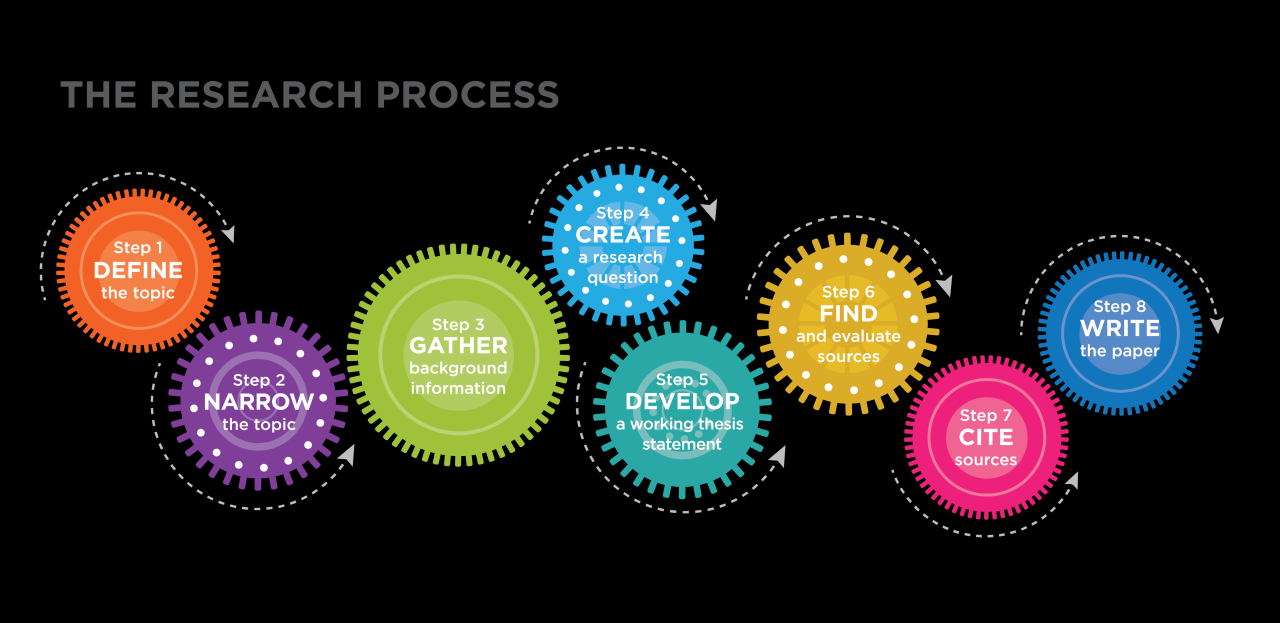
Identifying the most common customer questions is crucial for creating an effective FAQ page. By understanding the inquiries that frequently arise, businesses can tailor the content of their FAQ section to address these concerns, ultimately leading to a reduction in support tickets. This process involves systematic gathering and analysis of customer feedback and support interactions.
Collating frequently asked questions can be achieved through various methods. Support tickets often contain valuable insights into customer queries. By reviewing these tickets on a regular basis, businesses can identify patterns and recurring questions. It is beneficial to employ a structured approach to this process to ensure comprehensive coverage of customer concerns.
Gathering Frequently Asked Questions from Support Tickets
Regularly analyzing support tickets enables businesses to discover common questions that customers are asking. The following steps Artikel a methodical approach to this task:
1. Collect Data from Support Tickets
Regularly extract data from your support ticketing system to gather information on customer inquiries. Utilize tools that can aggregate ticket data efficiently.
2. Categorize Questions
Create categories based on the nature of the inquiries such as billing, technical issues, or product usage. This allows for easier identification of common themes.
3. Use Customer Feedback Forms
Incorporate feedback forms or post-interaction surveys to directly ask customers about their questions or concerns that may not have been resolved during their support experience.
4. Analyze Trends Over Time
Track changes in customer inquiries over time to adjust the FAQ content accordingly. This ensures the FAQ page remains relevant to current customer needs.
Organizing Customer Feedback and Inquiries
Once the data is collected, it is essential to organize it effectively. This can be achieved by implementing the following strategies:
Create a Database
Set up a database that logs each question alongside its category and the frequency of occurrence. This data can serve as a reference for creating the FAQ content.
Identify Common Themes
Look for themes or subjects that frequently appear in the data, which can guide the structure of the FAQ page. For example, if multiple customers inquire about a specific feature, it warrants a detailed entry in the FAQ.
Visualize Patterns
Utilize charts or graphs to visualize the frequency of questions, which can help in identifying peak areas of concern among customers.
Collaborating with Support Teams
Collaboration between departments is vital for curating an effective list of frequently asked questions. Engaging with support teams can provide additional insights into customer interactions. Consider the following techniques for fostering collaboration:
Regular Meetings
Schedule regular meetings between support teams and content creators to discuss current questions and challenges faced by customers. This helps in keeping the FAQ content aligned with real customer issues.
Feedback Loops
Establish a feedback loop where support teams can report new trends and questions that arise during their interactions with customers. This ensures the FAQ page is constantly updated and relevant.
Shared Documentation
Utilize shared online documents or platforms where support staff can contribute new questions or notes from customer interactions, facilitating easy access and collaboration on FAQ updates.
By methodically gathering and organizing customer inquiries and fostering collaboration with support teams, businesses can accurately identify common customer questions. This strategic approach leads to the creation of a comprehensive FAQ page that effectively addresses customer needs and reduces the volume of support tickets.
Structuring Your FAQ Page
Creating a well-structured FAQ page is critical in enhancing user experience and reducing the volume of support tickets. A thoughtfully designed layout allows customers to find answers quickly and efficiently, increasing their satisfaction and trust in your brand. A user-friendly FAQ page should consider both the design and organization of content. An intuitive layout not only highlights critical information but also guides users seamlessly through various categories of questions.
This can be achieved by utilizing clear headings, sections, and lists that allow for easy navigation.
Designing a User-Friendly Layout
The layout of your FAQ page should prioritize ease of use, ensuring that customers can quickly locate the information they seek. An effective design utilizes a clean and organized approach, often featuring collapsible sections or a search function. For example, a simple layout can be represented using HTML table tags that categorize questions into distinct sections:
| Category | Questions |
|---|---|
| Account Management |
|
| Shipping Information |
|
| Returns and Refunds |
|
Categorizing Questions for Easier Navigation
To facilitate navigation on your FAQ page, it is essential to categorize questions into sections based on relevant topics. This method enables users to quickly find answers without the need to sift through unrelated content. By grouping questions, you can create a logical flow that enhances user experience.Consider the following categories as examples of effective organization:
- Account Management
- Shipping Information
- Returns and Refunds
- Product Information
- Payment Options
Each category should be accompanied by a comprehensive list of questions that pertain specifically to that topic.
“An organized FAQ page enhances customer satisfaction by providing quick access to essential information.”
Incorporating collapsible sections or expanding menus for each category can provide a cleaner view and prevent overwhelming users with too much information at once. The organization of questions should reflect common inquiries and be tailored to the needs of your audience, ensuring they feel supported and informed without needing to reach out to customer service.
Writing Clear and Concise Answers
Providing clear and concise answers in an FAQ page is essential to enhance user experience and reduce support tickets. Customers seek quick resolution to their inquiries, and well-formulated responses can significantly reduce frustration and confusion. The effectiveness of an FAQ page often hinges on the clarity of the answers provided, as customers are more likely to find the information they need and feel supported by your brand.Brevity is equally important, as lengthy explanations can overwhelm users and lead them to seek help elsewhere.
The challenge lies in simplifying complex topics while still conveying all necessary information. It is crucial to use straightforward language and avoid jargon that may alienate customers. This can be accomplished by breaking down intricate concepts into manageable pieces, using bullet points for clarity, and employing analogies that relate the information to common experiences.
Techniques for Simplifying Complex Topics
To effectively simplify complex topics in FAQ responses, several techniques can be employed:
Use of Plain Language
Avoid technical jargon and opt for simple, straightforward words. For instance, instead of saying “utilize,” say “use.”
Break Information into Steps
For processes or instructions, break down the information into a sequence of steps. For example, “To reset your password, follow these steps: 1. Go to the login page. 2. Click on ‘Forgot Password?’.
3. Enter your email address.”
Employ Examples and Analogies
When explaining a concept, relate it to something familiar to the user. For instance, when describing data encryption, you might compare it to locking valuables in a safe to prevent unauthorized access.
Incorporate Visual Aids
While visual aids cannot be directly included in text responses, describing relevant visuals can enhance understanding. For example, “Imagine a flowchart where each box represents a step in your account setup process.”The effectiveness of these techniques can be demonstrated through well-written FAQ answers. For example, consider the following response regarding a return policy:*“Our return policy allows you to return any unused items within 30 days of purchase for a full refund.
To initiate a return, ensure the item is in its original packaging. Simply fill out the return form included in your order, and send the package to our returns address listed on our website.”*This answer is effective because it is clear about the policy duration, conditions, and the steps required to complete a return. It provides essential information without unnecessary detail, ensuring the customer understands the process easily.By implementing these techniques, businesses can create an FAQ page that not only addresses customer questions effectively but also fosters a sense of trust and reliability in their brand.
Implementing Search Functionality
To enhance user experience on your FAQ page, integrating a search functionality is crucial. This feature allows users to quickly locate specific answers without having to sift through extensive content. A well-designed search feature can significantly reduce user frustration and improve overall satisfaction.Implementing a search feature involves several steps to ensure that it is effective and user-friendly. First, you need to select a search tool or plugin that suits your website’s platform.
Many content management systems (CMS) offer built-in search functionality or plugins that can be easily integrated. Consider options such as Elasticsearch, Algolia, or even native search capabilities provided by platforms like WordPress.
Improving Search Accuracy and User Experience
To optimize the search functionality, several strategies can be applied to enhance both accuracy and user engagement. These methods ensure that users find relevant answers quickly and efficiently.
- Optimization: Ensure that the content on your FAQ page is rich in relevant s. This allows the search algorithm to retrieve answers that match user queries more accurately.
- Auto-suggestions: Implementing an auto-suggestion feature can guide users as they type their queries. This assists in refining their searches and can lead them to the most pertinent answers.
- Search Filters: Integrate filters that allow users to narrow down results by categories or topics. This is particularly useful for larger FAQ pages with diverse subject matter.
- Synonyms and Related Terms: Including synonyms and related terms in your search index can help users find answers even if their phrasing differs from that used in the FAQ content.
- Regular Updates: Continuously updating the FAQ content ensures that the search functionality remains relevant. Regularly revisiting common queries and adapting the content accordingly keeps the information fresh.
A well-integrated search feature can greatly enhance the user experience by allowing customers to find answers to their inquiries promptly. This immediacy not only increases user satisfaction but also reduces the volume of support tickets, allowing support teams to focus on more complex issues. Ultimately, an effective search capability transforms the FAQ page from a static resource into an interactive tool that empowers users to self-serve.
Keeping Your FAQ Updated
Regularly updating your FAQ page is vital to ensure that customers have access to the most accurate and relevant information. An outdated FAQ can lead to confusion, frustration, and an increase in support tickets, undermining the very purpose of having this resource. By maintaining an updated FAQ page, businesses can enhance customer experience and empower users to find solutions independently.To effectively keep your FAQ content current, it is essential to implement a structured approach to review and updates.
This involves closely monitoring customer inquiries, product updates, and changes in policies or services. Reflecting these updates in your FAQ will not only improve user satisfaction but also help in reducing the volume of repetitive questions directed to support teams.
Strategies for Regular Reviews and Updates
Establishing a systematic approach for reviewing and updating the FAQ page is crucial. Here are effective strategies to ensure the content remains fresh and relevant:
- Regular Feedback Collection: Actively solicit feedback from customers regarding the clarity and usefulness of the FAQ page. Use surveys or feedback forms to gather insights on which sections may need enhancement.
- Monitor Customer Queries: Analyze support ticket data to identify frequently asked questions that may not be addressed in the FAQ. This close examination of customer interactions will highlight the need for content updates.
- Scheduled Content Review: Implement a quarterly or biannual review schedule for the FAQ. During these sessions, evaluate existing content, identify outdated information, and revise it as necessary.
- Stay Aligned with Product Changes: Any updates or changes to products or services should trigger a review of the FAQ. New features, discontinued products, or policy changes must be reflected promptly in the FAQ to avoid misinformation.
Regular updates not only enhance the utility of the FAQ page but also demonstrate a company’s commitment to customer service and satisfaction.
Creating a schedule for these reviews will help maintain the relevance of your FAQ content. For instance, setting reminders for specific review sessions can ensure that updates are not overlooked amidst daily operational demands. By integrating these strategies into your business processes, you will foster an environment where the FAQ page is a living document, continually evolving to meet the needs of your customers.
Promoting Your FAQ Page

Successfully promoting an FAQ page is essential for driving traffic and encouraging customers to utilize it as a primary resource for their inquiries. By effectively raising awareness, businesses can significantly reduce the number of support tickets received, leading to a more efficient approach to customer service. This section will explore various tactics for promoting the FAQ page, ensuring customers are aware of its existence and the value it provides.
Raising Awareness Among Customers
Promoting the FAQ page requires a strategic approach to ensure that customers are informed about its availability and the benefits it offers. Various methods can be employed to effectively raise awareness, including:
- Incorporating a prominent link to the FAQ page in the website header or footer, ensuring it is accessible from every page.
- Featuring the FAQ page in welcome emails or onboarding communications, providing new customers with immediate access to useful information.
- Utilizing social media platforms to share links to the FAQ page, highlighting common questions and answers that may be of interest to followers.
- Creating blog posts or articles that touch on popular topics found in the FAQ, with hyperlinks directing readers to the full FAQ page for more information.
Linking in Support Communications
Integrating the FAQ page into support communications helps guide customers to self-service options before they submit support tickets. This can streamline customer interactions and enhance their experience. Consider the following methods for linking the FAQ page:
- Including a link to the FAQ page in email signatures for customer service representatives, making it readily available in all support correspondence.
- Adding a link to the FAQ page in automated responses for common inquiries, encouraging customers to consult the page for faster resolution.
- Promoting the FAQ page during live chat sessions by directing customers to relevant sections based on their queries.
Encouraging Utilization of the FAQ Page
To further motivate customers to make use of the FAQ page, businesses can implement strategies that emphasize self-service as the first point of contact for inquiries. The following ideas can assist in this endeavor:
- Designing promotional banners on the homepage showcasing popular FAQ topics, enticing customers to explore the page for answers.
- Implementing a chatbot that provides answers based on the FAQ content, thereby guiding users to the appropriate information in an engaging manner.
- Incentivizing customers to visit the FAQ page by offering discounts or rewards for users who successfully find answers on their own without reaching out to support.
Measuring the Effectiveness of Your FAQ Page
In order to ensure that your FAQ page is functioning effectively, it is vital to implement measures that assess its impact on user engagement and support ticket volume. An effective FAQ page can significantly reduce the number of support inquiries, enhance customer satisfaction, and streamline your support operations.Establishing metrics to evaluate the performance of your FAQ page can help you identify areas of improvement and provide insights into customer behavior.
Key metrics may include the reduction in support ticket volume, user engagement rates with the FAQ content, and customer satisfaction levels post-interaction with the FAQ page.
Design Metrics for Assessing Impact
Developing specific metrics allows businesses to quantify the effectiveness of their FAQ pages. Here are essential metrics to consider:
- Support Ticket Reduction: Track the number of support tickets before and after implementing the FAQ page. A notable decrease indicates that users are finding answers without needing to reach out to support.
- User Engagement Rate: Monitor the number of visits to the FAQ page and the average time spent by users. Higher engagement suggests that users find the information relevant and useful.
- Bounce Rate: Analyze the percentage of users who leave the FAQ page after viewing only one article. A high bounce rate may indicate that users are not finding the answers they seek.
- Search Functionality Usage: Measure how often users utilize the search bar on the FAQ page. High usage can highlight that users are looking for specific information.
Gathering User Feedback
Collecting feedback from users about the FAQ page’s usefulness provides valuable insights into its effectiveness. Here are some strategies to gather this feedback:
- Feedback Forms: Implement short forms at the end of FAQ articles asking users if the information was helpful. This can be a simple “Yes” or “No” question accompanied by an optional comment section.
- Surveys: Conduct periodic surveys that request user opinions on the FAQ page. Ask specific questions about content clarity, comprehensiveness, and overall satisfaction.
- User Interviews: Consider conducting interviews with frequent users of the FAQ page to gain in-depth feedback on their experiences and suggestions for improvement.
- Net Promoter Score (NPS): Utilize NPS surveys to gauge customer loyalty and satisfaction, asking how likely they are to recommend your support resources to others.
Tools for Tracking FAQ Page Performance
To effectively track the performance of your FAQ page, numerous tools and software solutions are available. These tools assist in monitoring user interaction and gathering insights for continuous improvement. Below are examples of useful tools:
- Google Analytics: A powerful tool for tracking user behavior on your website, including the performance of your FAQ page. You can set up custom events and goals to monitor key metrics.
- Hotjar: This tool provides insights through heatmaps and user recordings, helping to visualize how users interact with your FAQ page.
- Zendesk: A customer service platform that includes analytics features to analyze support ticket trends and the impact of your FAQ content.
- SurveyMonkey: An easy-to-use platform for creating surveys to gather user feedback on the FAQ page’s effectiveness.
Conclusion
In conclusion, creating an FAQ page is not just about answering questions; it is a strategic approach to enhancing user experience and reducing support ticket volume. By regularly updating content, promoting accessibility, and measuring effectiveness, businesses can ensure that their FAQ page remains a valuable resource. Ultimately, the success of an FAQ page lies in its ability to empower customers to find answers quickly and independently, leading to greater satisfaction and loyalty.